“Link in Bio” Is Not a Strategy: How to Turn Random Links into a Real Revenue Plan with Liinks

“Link in Bio” Is Not a Strategy: How to Turn Random Links into a Real Revenue Plan with Liinks
Most creators treat “link in bio” like a period at the end of a caption.
New post? “Link in bio.”
New offer? “Link in bio.”
New freebie? You guessed it.
But here’s the problem: “link in bio” is not a strategy. It’s a signpost.
If the page behind that tiny URL is just a pile of random buttons, you’re not running a business funnel—you’re running a scavenger hunt.
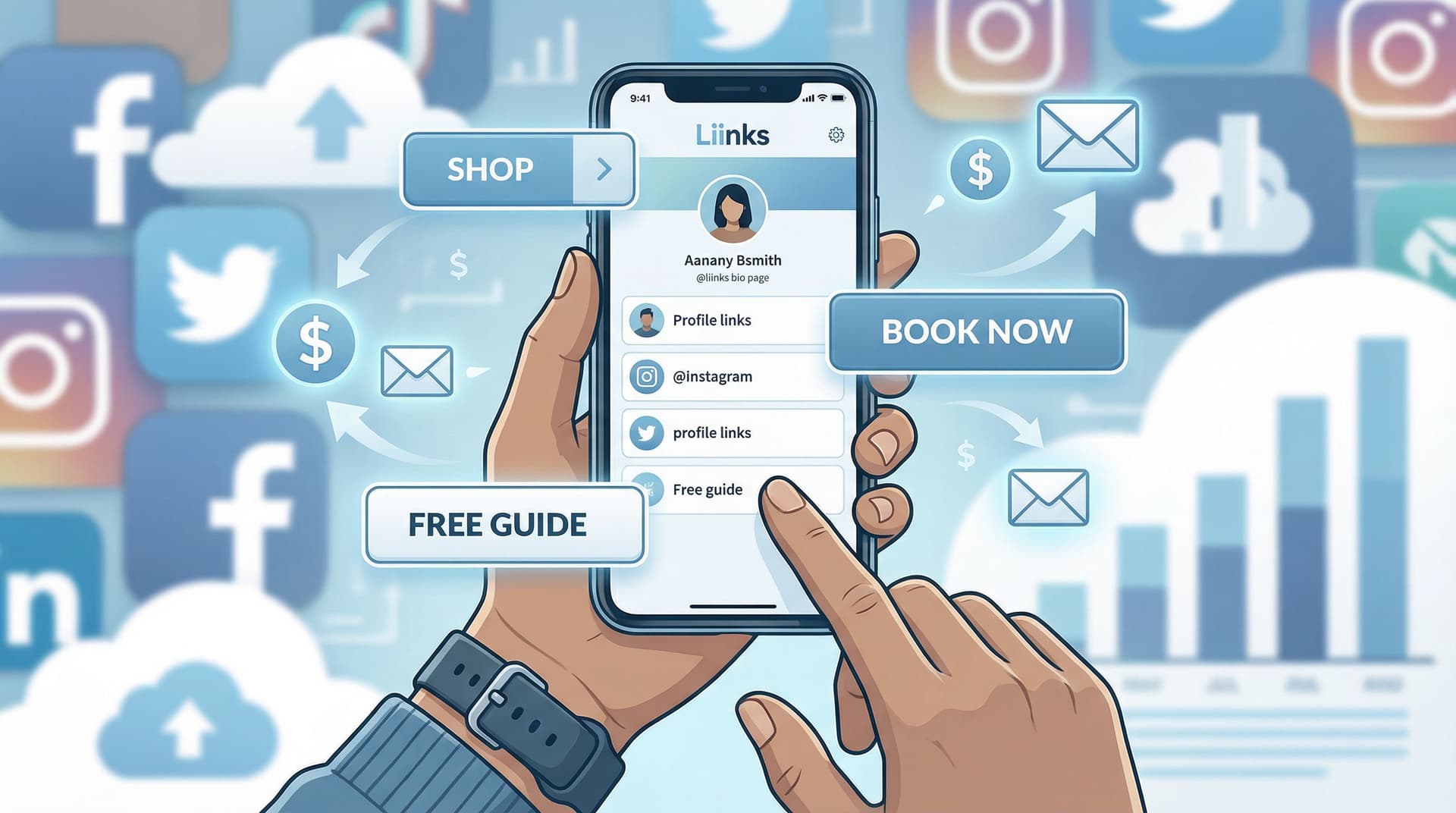
This post is your intervention. We’re going to turn that random list of links into a simple, focused revenue plan using Liinks—the link-in-bio tool built for creators who want their page to actually look good and make money.
Why “Link in Bio” Isn’t Doing What You Think It Is
You’ve already done the hard part: getting people curious enough to tap your profile.
The average person spends only a few seconds deciding whether to click again or bail. Multiple studies on web behavior show that bounce probability shoots up once people have to hunt for what they want, especially on mobile where attention is even shorter.
So if your link page is:
- A long, unorganized list of everything you’ve ever made
- A mix of old launches, expired discounts, and “maybe I’ll use this later” links
- Designed like a default template from 2017
…you’re leaking clicks, subscribers, and sales.
Here’s what a “link in bio” should be doing instead:
- Guiding new people to your most important intro content
- Sending warm followers straight to your best offers
- Capturing leads (email, SMS, community) so you’re not at the mercy of algorithms
- Highlighting revenue-driving actions: buy, book, apply, subscribe
That’s not an accident. That’s a plan.
If you want to go deeper on why this little URL matters more than your follower count, check out how it turns casual scrollers into true fans in From Side Quest to Main Character: Using Liinks to Turn Casual Followers into True Fans.
Step 1: Decide What “Revenue” Actually Means for You
Before you touch a single button on your Liinks page, you need to answer one question:
If your link in bio worked perfectly for the next 90 days, what would it be doing for you?
“More money” is not specific enough. Pick 1–2 primary outcomes:
- Selling products
- Digital: courses, templates, presets, ebooks, memberships
- Physical: merch, prints, beauty products, etc.
- Booking services
- Coaching, consulting, done-for-you work, speaking, photography, design
- Growing owned channels
- Email list, SMS list, paid community, Patreon, Substack
- Attracting brand deals
- Making it easy for sponsors to see your stats, content, and audience fit
Your answer becomes your North Star metric.
Examples:
- “I want 50 new email subscribers per week.”
- “I want 10 discovery call applications per month.”
- “I want 20 product sales per week from social.”
Once you know that, every link on your page has a job: get people closer to that outcome or get out.
Step 2: Turn Your Liinks Page into a Mini Funnel (Not a Menu)
Most link pages look like restaurant menus where everything is the same size and importance. That’s great for brunch, terrible for conversions.
A revenue-focused Liinks page should feel more like a guided path:
- Hook – Who you are + why this page matters
- Primary action – The #1 thing that leads to revenue
- Supporting actions – 2–4 options for people at different readiness levels
- Nice-to-have extras – Content, socials, etc. below the money-makers
How to structure it inside Liinks
Use this simple layout:
-
Top section: Instant clarity
- A short headline: “Email templates & trainings for freelance designers”
- One subline: “Start with my free pricing guide or book a 1:1 call.”
-
Primary revenue block (above the fold)
- One or two visually highlighted buttons:
- “Start Here: Free Pricing Guide (Leads to Email List)”
- “Ready to Work Together? Apply for 1:1 Coaching”
- One or two visually highlighted buttons:
-
Secondary options (still important, but not the star)
- “Shop My Templates”
- “Join the Membership”
- “Book a Strategy Session”
-
Tertiary links (for browsers and superfans)
- “Binge My YouTube Tutorials”
- “Listen to the Podcast”
- “Read My Latest Blog Posts”
If you want help mapping different follower types to different next steps, you’ll love One Liinks Page, Many Personalities: How to Create Custom Experiences for Different Audiences.
Step 3: Ruthlessly Edit Your Links (Yes, Really)
If everything is important, nothing is.
Open your current link-in-bio page and ask, for every single link:
Does this directly support my 90-day revenue goal?
If the answer is no, it goes.
What to keep:
- Your #1 lead generator (freebie, quiz, challenge, etc.)
- Your main paid offer(s) (course, product, service, membership)
- One low-friction trust builder (best-of content, case studies, portfolio)
What to move or delete:
- Old launch pages and expired discounts
- Random blog posts that don’t lead anywhere
- “Someday” ideas you’re not actively promoting
- Duplicate paths (three different buttons that all go to the same shop)
If you’re nervous about deleting, create a simple rule:
- Max 5–7 primary links on your main screen
- Everything else goes in:
- A “More Resources” section lower on the page, or
- A separate Liinks page you only share in specific contexts
This is where Evergreen, Not Exhausting: How to Build a Liinks Page You Barely Touch but Always Converts can help you decide what deserves a permanent spot.
Step 4: Design Your Page Like a Sales Asset, Not a Template
People absolutely judge your credibility by your design. The good news: you don’t need to be a designer—you just need to stop fighting your tools.
With Liinks, you can customize your page so it actually looks like you, not like “generic creator #4829.” That matters for revenue because trust = clicks.
Quick design wins that boost conversions
-
Use brand colors intentionally
- One main brand color for primary buttons
- A softer accent color for secondary actions
- Neutral background so text is readable
-
Make your money links visually louder
- Larger buttons
- High-contrast color
- Strategic placement at the top
-
Add a recognizable photo or logo
- Same profile photo you use on your main platform
- Or a simple logo mark if you’re a brand/team
-
Use microcopy that sells, not labels
- Instead of: “Newsletter” → “Get Weekly Client-Getting Tips”
- Instead of: “Shop” → “Shop My Presets & Templates”
If you want a step-by-step on moving from default to “wow, that’s so you,” bookmark Template to Signature Look: How to Design a Liinks Page That Feels Uniquely ‘You’ in Under an Hour.
Step 5: Map Clear Paths for Different Types of Visitors
Not everyone tapping your bio link is in the same headspace.
You’ve got:
- Cold visitors – Just discovered you, mildly curious
- Warm followers – Have seen your stuff for a while, trust you
- Hot leads – Actively want what you sell right now
Your Liinks page should give each group a clear next step.
Cold visitors → Clarity + low-commitment action
Make it easy to answer:
- Who are you?
- What do you help with?
- What’s the easiest way to get more value, free?
Good options:
- “Start Here: Watch My 3-Min Intro Video”
- “New? Grab the Free Starter Kit”
- “Binge My Top 5 Tutorials”
Warm followers → Lead capture or core offer
They already like you. Don’t send them on a scavenger hunt.
Good options:
- “Join 5,000+ Creators Getting My Weekly Growth Email”
- “See All My Offers in One Place”
- “Shop My Bestselling Templates”
Hot leads → Direct path to purchase or book
These people do not want to read your life story.
Good options:
- “Apply for 1:1 Coaching”
- “Book a Discovery Call”
- “Enroll in the Program”
This kind of smart routing is exactly what we break down (with examples) in Stop Sending Everyone to the Same Page: Smart Liinks Routes for New vs. Super-Fans.
Step 6: Connect Your Content to Specific Revenue Paths
If your captions all just say “link in bio,” you’re leaving money on the table.
Instead, think: content → specific path on your Liinks page → revenue goal.
Examples:
-
You post a Reel about client red flags
→ CTA: “Want my full client onboarding checklist? Tap ‘Client Onboarding Kit’ in my bio.” -
You share a TikTok about how you color-grade your videos
→ CTA: “All my LUTs and presets are under ‘Shop Video Presets’ in my bio.” -
You tweet a thread about how you grew your list
→ CTA: “Grab the exact lead magnet I used—hit my bio and tap ‘Email List Starter Kit.’”
Inside Liinks, you can:
- Create clear, descriptive button titles that match your CTAs
- Reorder links so the one you’re promoting sits right at the top during a campaign
- Build campaign-specific pages (for launches, holidays, or collabs) and swap your main URL to point there
If you want to go all-in on turning content into sales, you’ll like Carousel to Checkout: Turning Instagram Posts into Sales with a High-Converting Liinks Page.
Step 7: Make Every Click Measurable (Without a Spreadsheet Meltdown)
You don’t need a full analytics degree to know if your “link in bio” is working—you just need a few key numbers.
Track this inside Liinks and your other tools:
- Total page visits – Are people actually tapping your bio link?
- Top-clicked buttons – Which offers or resources get the most interest?
- Click-through to conversion – For your main revenue goals:
- Email signups from your lead magnet
- Purchases from your product link
- Bookings from your call link
Simple experiments that actually help
- Move your main revenue link to the very top for 7–14 days.
- Did clicks and conversions go up?
- Test two versions of button copy:
- “Join My Newsletter” vs. “Get Weekly Content Ideas (Free)”
- Feature one core offer instead of three for a week.
- Does focusing attention improve sales?
You can go deeper on this in A/B Test Your Link in Bio (Without Losing Your Mind): Simple Experiments That Actually Move the Needle and Analytics Without the Headache: The Only Liinks Metrics Creators Actually Need to Track.
Step 8: Make Your Liinks URL Work Everywhere (Not Just Instagram)
If your Liinks URL lives only on your Instagram profile, you’re underusing it.
That one URL can (and should) show up:
- In your TikTok, YouTube, X, and Pinterest bios
- On your email signature
- In your podcast show notes
- On business cards, speaker slides, and media kits
- In DMs when people ask, “Where can I learn more?”
Remember: algorithms change, platforms rise and fall, but your link hub is yours. For a deeper dive on future-proofing this, read Algorithms Change. Your Links Don’t: Future-Proofing Your Brand with a Platform-Agnostic Liinks Strategy and Beyond Instagram: Unexpected Places to Drop Your Liinks URL (That Actually Drive Clicks).
Step 9: Layer in Revenue-Boosting Features (Without Overcomplicating It)
Once the basics are dialed in, you can let Liinks quietly pull more weight.
A few ideas:
- Feature time-sensitive offers
- Seasonal sales, limited drops, or launches with a clear “Ends on [date]” note
- Use sections or grouping
- “Start Here,” “For Clients,” “Shop,” “Free Resources”
- Add social proof where it counts
- A line of text: “Trusted by 1,200+ freelance designers”
- Link to a quick testimonials highlight or case study page
- Build a lightweight storefront
- Showcase your top 3–6 products with clear images and direct buy links
- For a full walkthrough, see Make Every Post Shoppable: A Step-by-Step Guide to Building a Lightweight Storefront with Liinks.
None of this requires a giant website or a dev team. It just requires treating your link in bio like a real asset.
Quick Recap: From Random Links to Revenue Plan
Let’s zoom out.
To turn “link in bio” from an afterthought into a revenue engine with Liinks:
- Define your main revenue goal for the next 90 days.
- Structure your page like a funnel, not a menu: hook → primary action → supporting actions.
- Ruthlessly edit your links so only revenue-supporting ones sit up top.
- Design intentionally so your key buttons stand out and your page feels on-brand.
- Map paths for different visitors (cold, warm, hot) with clear next steps.
- Connect content to specific buttons, not just “link in bio.”
- Track a few key metrics and run simple tests to improve.
- Use your Liinks URL everywhere, not just one platform.
- Layer in advanced features like storefronts, sections, and social proof once the basics work.
Do that, and your bio link stops being a polite suggestion and starts behaving like a quiet, always-on sales assistant.
Your Next Move (Yes, Right Now)
You don’t need three weeks and a Notion board to do this.
Here’s a 30-minute challenge:
- Log into Liinks (or create your page if you haven’t yet).
- Set a 15-minute timer and:
- Delete or move everything that doesn’t support your main revenue goal.
- Make sure your #1 money link is at the very top, visually highlighted.
- Set another 15-minute timer and:
- Update your button copy so every link clearly answers: “What do I get if I tap this?”
- Add a short headline + subline that tells visitors who you are and what to do next.
Then, for your next three posts, don’t just say “link in bio.” Point people to a specific button on your freshly optimized Liinks page.
Your content is already doing the hard work of getting people interested.
It’s time your link in bio stopped winging it—and started acting like part of your actual revenue strategy.