Beyond Instagram: Unexpected Places to Drop Your Liinks URL (That Actually Drive Clicks)

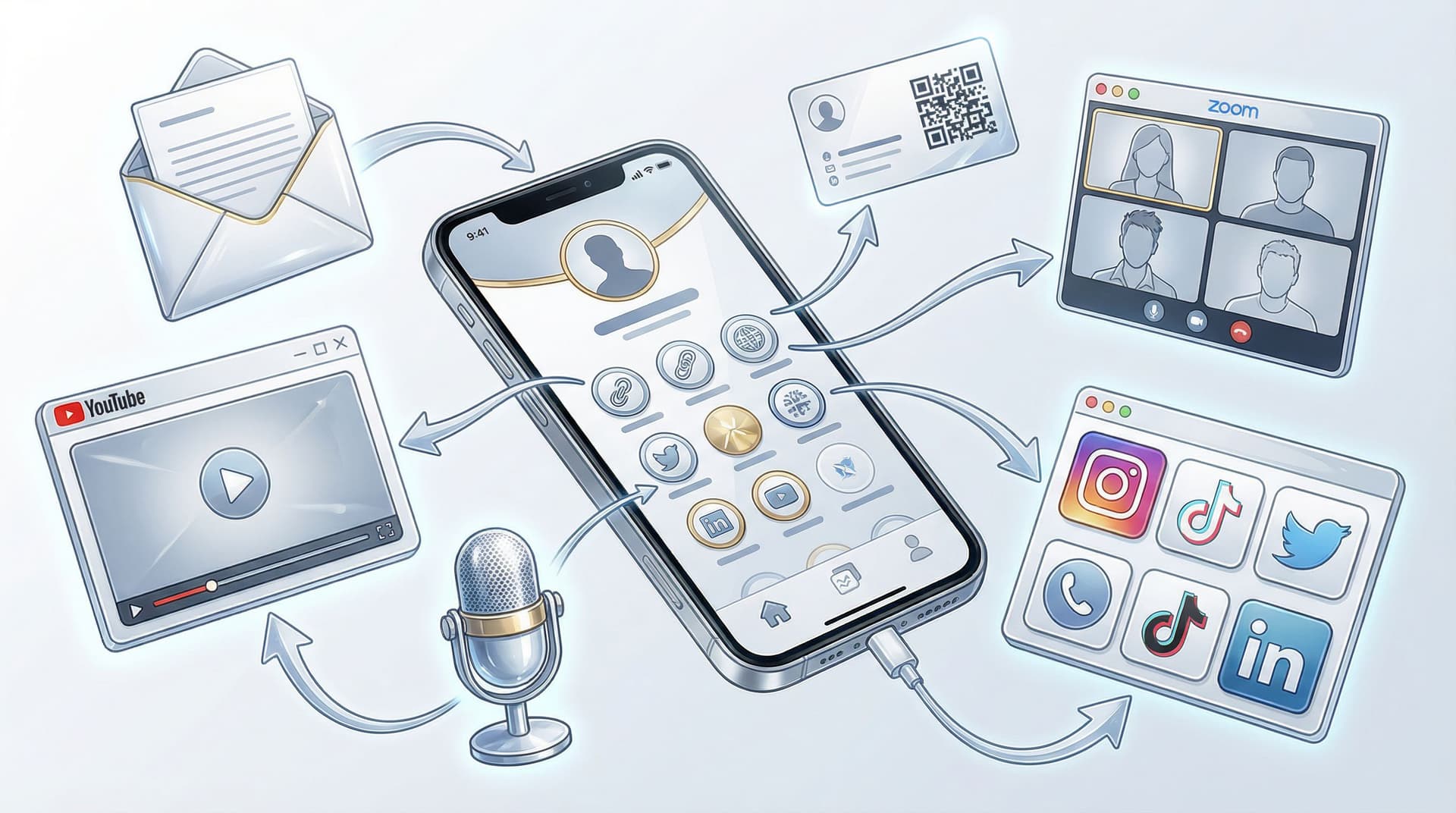
You’ve probably spent more time than you’d like to admit tweaking your Instagram bio, rewriting that one line until it sounds casual-but-also-genius, and proudly pasting your shiny new Liinks URL right under it.
Cool. Love that for you.
But if your Liinks URL only lives on your Instagram profile, you’re basically renting a billboard in one busy intersection… while ignoring the 20 other highways your audience drives every day.
This post is your permission slip to stop treating your bio link like an Instagram-only accessory and start using it like what it actually is: a tiny, powerful portal into everything you want people to click.
We’re going to walk through unexpected (but very effective) places to drop your Liinks URL so you can:
- Capture traffic you’re already earning but not directing anywhere
- Make your content work harder across platforms
- Turn casual lurkers into subscribers, buyers, or clients—without extra tech drama
Let’s expand your universe beyond one little profile.
Why Your Link Shouldn’t Live on Instagram Alone
Relying on a single platform is like building your dream house on someone else’s land. Cute… until the landlord changes the rules.
Algorithms shift. Features come and go. Reach goes up, then drops for no reason. Meanwhile, your Liinks page can stay consistent and on-brand no matter where people come from.
If you’ve read our post on future-proofing your traffic, you already know how powerful a platform-agnostic setup can be. If not, bookmark this for later: Algorithms Change. Your Links Don’t: Future-Proofing Your Brand with a Platform-Agnostic Liinks Strategy.
What happens when you put your Liinks URL everywhere?
When you start dropping your Liinks URL in more places, three big things happen:
- You stop wasting attention. Any time someone sees your content, hears your name, or interacts with your brand, there’s a low-friction way to go deeper.
- You look more put-together. One clean, consistent URL feels intentional and professional compared to a mess of random links.
- You get better data. More entry points to the same hub means more clicks you can actually track and optimize.
If you’ve already turned your Liinks page into a mini homepage (or want to), you’re going to get even more mileage from these ideas. For a deeper dive on that, check out Mini Homepages, Major Results: Liinks Layouts That Replace a Full Website (Without Looking Cheap).
1. Your Email Signature (Yes, the Boring One)
Let’s start wildly unsexy: email.
If you send emails for work, client projects, pitches, or even just networking, your signature is free ad space you’re probably wasting on “Sent from my phone, please excuse typos.”
How to use your Liinks URL in your signature
- Add a short, specific line above or below your name, like:
- “All my links & offers → yourname.liinks.co”
- “Portfolio, rates, and booking → yourname.liinks.co”
- Make the text clickable and point it to your Liinks page.
- Keep it one line so it doesn’t turn your signature into a novel.
Why it works
- People you email are already somewhat warm—colleagues, clients, collaborators.
- They don’t need to go hunting through socials to find you.
- Over time, every single email becomes a quiet invitation to click.
Pro tip: If you work with clients, make sure your Liinks page includes your current offers and a clear booking or inquiry link so those clicks actually go somewhere useful.
2. YouTube Descriptions & Channel Banner
If you create any kind of video content—tutorials, vlogs, shorts, or lives—YouTube is a goldmine for clicks that last way longer than a 24-hour Story.
Where to place your Liinks URL on YouTube
1. In every video description (above the fold):
Put your Liinks URL within the first 2–3 lines so it’s visible before the “Show more” break. For example:
"✨ All my resources, gear, and offers: yourname.liinks.co"
2. In your channel banner:
YouTube lets you add a clickable link overlay on your banner. Make that your Liinks URL and label it something like:
- “Start here”
- “All my links”
- “Courses & freebies”
3. In pinned comments:
For key videos (like tutorials or launches), pin a comment from your own channel with your Liinks URL and a quick CTA.
What to feature on your Liinks page for YouTube traffic
- A “Start here” button with your best intro content
- A playlist or series link if your video is part of a bigger journey
- Your main offer or lead magnet tied to the topic of your channel
If you’re sending traffic from multiple content types, consider using smart routing from your Liinks page so different audiences land where they need to. We break that down in Stop Sending Everyone to the Same Page: Smart Liinks Routes for New vs. Super-Fans.
3. Podcast Intros, Outros, and Show Notes
If you host a podcast or appear as a guest, your Liinks URL should basically be your co-host.
As a host
Say it out loud, every episode:
- In your intro: “You can find all my links, freebies, and programs at yourname.liinks.co.”
- In your outro: Repeat it, slowly, so people can type it.
Add it to your show notes:
- Place your Liinks URL near the top with a clear label like: “🔗 All my links & resources:”
- If you have episode-specific links (like tools or sponsors), still keep your Liinks URL as the main hub.
As a guest
When the host asks where people can find you, resist the urge to list six platforms.
Say something like:
“The easiest place is my Liinks page—yourname.liinks.co. It has my socials, newsletter, and current offers all in one place.”
Make it easy to remember, easy to spell, and short enough for people to type without rage.
4. Business Cards… and the Digital Versions
Yes, people still use business cards. No, they don’t have to be boring.
Physical cards
Instead of cramming your card with every handle you’ve ever had, try:
- Your name + primary role
- One clean URL: yourname.liinks.co
- Optional: a QR code that points to your Liinks page
That way, whether you’re at a conference, local market, or awkward networking event, people have a single place to go that you can update anytime—without reprinting cards.
Digital business cards & NFC cards
Tools like HiHello or NFC cards like Popl let people tap or scan to see your info.
Make your Liinks URL the primary website field so when someone saves your contact, they always have your most up-to-date hub.
5. Zoom Name, Calendars, and Meeting Invites
You know those little details that feel too small to matter? They add up.
Zoom display name
If you’re constantly on calls with clients, collaborators, or students, add your Liinks URL to your display name, like:
"Alex Rivera | yourname.liinks.co"
No one has to ask, “Where can I find your work?”—it’s right there on every call.
Calendar descriptions
For coaching calls, discovery calls, or workshops:
- Add your Liinks URL to the event description or confirmation email
- Use a line like: “Need to reschedule or learn more about my work? Start here: yourname.liinks.co”
This quietly funnels even no-shows or reschedules back into your world.
6. Pinterest Pins and Idea Pins
Pinterest users are in a clicking mood. They’re literally there to find ideas and then go somewhere else to act on them.
How to add your Liinks URL on Pinterest
- Include your Liinks URL in the pin description for key content
- Add it to your profile description as your main website
- For content series, use a consistent line like:
"All related resources & links: yourname.liinks.co"
What to feature for Pinterest traffic
Pinterest loves clarity. Make sure your Liinks page has:
- Clear categories or sections (e.g., “Free Guides,” “Templates,” “Shop,” “Services”)
- Buttons that match what you’re pinning (e.g., link to the exact freebie or product people came for)
If your Liinks page is already structured around content pillars, this gets even easier. If not, our guide Content Pillars to Clicks: Structuring Your Liinks Page Around What Your Audience Actually Wants is a great next step.
7. PDF Guides, Notion Templates, and Downloadables
Any time you create something downloadable—free or paid—you have a chance to keep people in your ecosystem.
Where to place your Liinks URL in documents
- On the cover page: small but visible, near your name or logo
- In the footer of each page: “More resources: yourname.liinks.co”
- On the final page: a bigger CTA like:
- “Loved this? Get more tools and trainings here → yourname.liinks.co”
Why it works
People share PDFs, Notion templates, and checklists with friends, colleagues, and teams. Your Liinks URL ensures that even if your original link or email gets lost, your hub is still attached to the asset.
8. TikTok, Threads, X, and “Secondary” Platforms
You might not think of some platforms as your “main” channel—but your audience doesn’t care about your internal ranking system. They just want an easy way to go deeper.
TikTok
- Add your Liinks URL to your bio website field (if eligible)
- Mention it verbally in videos when relevant: “Link’s in my Liinks page—yourname.liinks.co.”
- Put it in video captions occasionally: “Full breakdown + resources: yourname.liinks.co.”
Threads / X (Twitter)
- Use your Liinks URL as your website field
- Occasionally tweet/thread a reminder: “Everything I mention lives here → yourname.liinks.co.”
Why this matters
Sometimes the “throwaway” platforms end up sending you surprisingly warm traffic—especially when posts go semi-viral or get shared into new circles.
9. DMs and Customer Support Replies
Any time someone reaches out with a question, they’re raising their hand as a warm lead. Don’t let that conversation die in the inbox.
How to weave in your Liinks URL
When someone asks:
- “Where can I learn more about X?”
- “Do you offer Y?”
- “How do I work with you?”
You can reply with:
“Great question! I’ve got everything laid out here: yourname.liinks.co — including [specific thing they asked about].”
If you use tools like Zendesk or Help Scout, add a snippet or macro that includes your Liinks URL so your team can drop it into replies quickly.
10. On-Screen in Reels, Lives, and Webinars
People don’t just read captions—they screenshot, pause, and rewatch.
Add your Liinks URL visually
- In Instagram Reels or TikToks, add your Liinks URL as subtle on-screen text at the bottom.
- In live streams or webinars, include it on your intro and outro slides.
- If you use overlays (e.g., in OBS or StreamYard), add your Liinks URL as a persistent lower-third.
Make sure your Liinks page is set up to match the promise of your content: if you’re promoting a workshop, challenge, or offer, feature it prominently at the top.
If you’re not sure what to prioritize on the page itself, Evergreen, Not Exhausting: How to Build a Liinks Page You Barely Touch but Always Converts walks you through a low-maintenance, high-conversion setup.
How to Make All These Extra Clicks Actually Count
Dropping your Liinks URL everywhere is great. Dropping it everywhere without a plan just gives you slightly more chaos.
A few quick guardrails:
1. Keep the URL consistent
- Use the same short, memorable Liinks URL across platforms.
- Avoid adding random parameters unless you’re specifically tracking campaigns.
2. Match the promise to the page
If you say “All my resources are here,” don’t send people to a cluttered mess.
Your Liinks page should:
- Have a clear visual hierarchy (what’s most important at the top)
- Use concise, specific button copy (not just “Click here”)
- Reflect your brand visually so people feel like they’re in the right place
If you want help dialing in the look and feel, you’ll love Template to Signature Look: How to Design a Liinks Page That Feels Uniquely ‘You’ in Under an Hour.
3. Check your numbers occasionally
You don’t need to become a data goblin, but you do want to know:
- Which buttons get the most clicks
- Which offers or links are being ignored
- Whether your overall traffic is trending up as you add more placements
Your Liinks analytics make this pretty painless. Even a monthly 10-minute check-in can show you what’s worth keeping and what needs a refresh.
Quick Recap
You built a Liinks page so people could find everything you do in one clean, good-looking place. Limiting it to your Instagram bio is like buying a Swiss Army knife and only using the nail file.
Some of the best underused places to drop your Liinks URL:
- Email signatures and support replies
- YouTube descriptions, banners, and pinned comments
- Podcast intros, outros, and show notes
- Business cards (physical and digital)
- Zoom names, calendar events, and meeting invites
- Pinterest pins and profiles
- PDFs, templates, and other downloadables
- TikTok, Threads, X, and other “secondary” platforms
- On-screen overlays in Reels, lives, and webinars
Each one is a tiny door into your world—and they all lead to the same, well-designed hub.
Your Next Step (Yes, Just One)
Don’t try to implement all of this at once. Pick one of these placements you use all the time—email, YouTube, Zoom, whatever—and:
- Add your Liinks URL there today.
- Make sure your Liinks page is ready for those visitors (clear top buttons, on-brand, not a junk drawer).
- Check your Liinks analytics in a couple of weeks to see if clicks nudged up.
If you don’t have a page set up yet—or your current link in bio looks like it was built during a snack break—spin up a fresh one with Liinks. It’s fast to set up, easy to update, and flexible enough to grow with you as you start dropping that URL in all the right places.
Your link in bio has been doing the work on Instagram. Now it’s time to give it some friends.