AI as Your Tiny Creative Director: Using ChatGPT to Draft On-Brand Copy, CTAs, and Layouts for Your Liinks Page

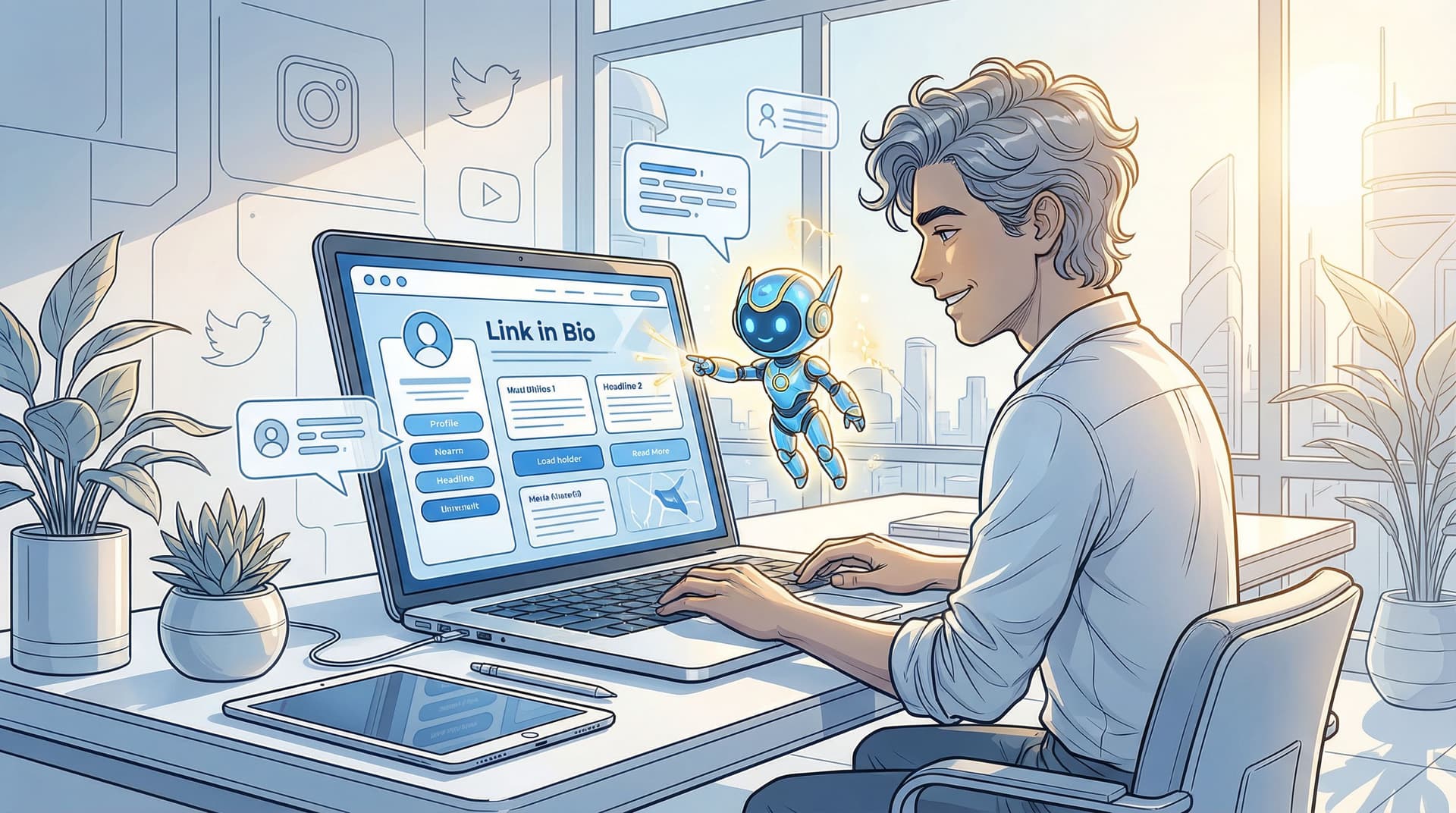
You already wear 47 hats: creator, editor, accountant, part-time therapist to your DMs. You do not need to also be a full-time creative director every time you tweak your link in bio.
Good news: you don’t have to.
Think of ChatGPT as your tiny creative director who lives in your laptop, never sleeps, and will happily brainstorm 20 headline options without complaining once. Pair that with the design flexibility of Liinks, and you’ve got a surprisingly powerful little brand studio sitting inside your bio link.
This post is your guide to using AI—not as a replacement for your voice—but as a drafting buddy to help you:
- Nail on-brand copy for your Liinks page
- Write clear, high-converting CTAs
- Plan layouts that feel intentional, not “I just slapped buttons on there and hoped”
Let’s put your tiny creative director to work.
Why Your Liinks Page Deserves a Creative Director (Even a Tiny AI One)
Your link in bio is where your most interested people go. They’re not casual scrollers anymore; they’ve opted into seeing what you really do.
That makes your Liinks page:
- A mini homepage
- A sales page
- A portfolio
- A menu of “ways to go deeper with me”
When the copy is vague, the CTAs are mushy, and the layout is chaotic, you’re quietly losing:
- Warm leads who were ready to buy or book
- Brand partners who were checking if you’re sponsor-ready (see: Brand Partnerships on Easy Mode)
- Future superfans who just needed a clear next step
The problem isn’t that you’re bad at words or design. It’s that doing all of this from scratch, every time, is exhausting.
That’s where AI shines. ChatGPT can:
- Turn messy brain dumps into clean copy
- Translate “vibes” into headlines and button text
- Suggest layouts based on your goals
You stay the creative director. AI is the intern with freakishly good writing stamina.
Step 1: Train Your Tiny Creative Director on Your Brand
If you just say, “Write my Liinks page,” you’ll get something… generic. Not terrible, but not you.
Instead, you want to give ChatGPT a simple brand starter kit so it can write like a smarter version of you on a good coffee day.
Build a quick brand snapshot
Before you open ChatGPT, jot down:
-
Who you are
- 1–2 sentences. Example: “I’m a fitness coach helping busy creatives build sustainable strength routines without 5 a.m. workouts or diet culture nonsense.”
-
Who you serve
- Be specific. “Freelance designers and marketers who sit all day and are tired of back pain.”
-
What you sell or want people to do
- Coaching, templates, TikTok Shop products, newsletter, bookings, etc.
-
Your brand adjectives
- 3–5 words like: playful, direct, nerdy, luxury, cozy, rebellious.
-
A few sample posts or captions that feel very “you”
- Paste 2–3 short examples.
A plug-and-play prompt to set the tone
You can paste this into ChatGPT:
“You are my creative director. Learn my brand and voice from this info, then help me write copy and plan layouts for my Liinks page.
About me: [paste] Audience: [paste] What I offer / main actions I want people to take: [paste] Brand adjectives: [paste] Sample captions that sound like me: [paste]
First, summarize my voice and brand in a short paragraph and a bullet list of do’s and don’ts for how you’ll write as me.”
Let ChatGPT reflect your voice back to you. If it’s off, correct it:
“Less corporate, more conversational. Avoid jargon. Add a bit more humor and keep sentences short.”
Once that’s dialed in, you’ve effectively “briefed” your tiny creative director.
Step 2: Use ChatGPT to Draft Your Liinks Page Structure
Before you obsess over button text, you need a structure. What actually deserves a spot on your page?
Think of your Liinks page as a one-scroll experience (shoutout to the strategy in The ‘One Scroll’ Strategy). Within that scroll, people should understand:
- Who you are
- What you do
- The top 1–3 actions you want them to take
Ask AI to map your priorities
Prompt idea:
“Act as a conversion-focused creative director. Based on my brand info above, list the top 3–5 actions I want visitors to my Liinks page to take. Then, suggest a simple section-by-section layout for a one-scroll page that guides them to those actions.”
You’ll likely get something like:
- Hero section: short intro + main CTA
- Primary offer(s): your top product/service
- Secondary actions: newsletter, free resource, TikTok Shop test products, etc.
- Social proof / UGC
- ‘Explore more’ section for content, podcast, YouTube, etc.
Turn that into Liinks-friendly sections
Now, get specific:
“Turn that layout into a Liinks-specific structure. Recommend:
- Section titles
- Which links or buttons to include in each section
- The ideal order of links
- Any notes on spacing or grouping I should follow.”
Use this to plan how you’ll actually build the page inside Liinks:
- Group related links (all offers, all content, all freebies)
- Keep the most valuable actions near the top
- Avoid 20+ equal-looking buttons with no hierarchy
If you’re experimenting with different offers, you can layer in ideas from Creator Revenue Experiments or From Lurkers to Superfans and have ChatGPT help you position them.
Step 3: Let AI Draft Your On-Brand Headlines and Microcopy
Your tiny creative director is excellent at options. Use that.
Start with your hero section
This is the first thing people see on your Liinks page—usually a short intro + one strong CTA.
Prompt:
“Write 10 headline options for the top of my Liinks page that:
- Are under 12 words
- Use my brand voice
- Make it clear who I help and how
- Don’t use buzzwords like ‘synergy’ or ‘disrupt.’
Then write 10 subheading options (under 20 words) that add a bit more detail and lead into a single main CTA.”
Pick 2–3 favorites, then refine:
“Combine headline #2 with the tone of headline #7. Make it slightly more playful but still clear.”
Write section intros that don’t sound like robots
Instead of “Services” or “Links,” ask ChatGPT to give each section a tiny personality.
Prompt:
“For each of these sections on my Liinks page [list your sections], write 3 options for a short intro line (under 14 words) that:
- Match my voice
- Clearly say what this section is about
- Encourage people to click without sounding pushy.”
Examples you might get:
- “Start here if you’re ready to stop guessing and start growing.”
- “Binge-worthy stuff my clients won’t shut up about.”
- “Free resources for when you’re not quite ready to book yet.”
Tweak any wording that feels slightly off. AI gets you 80% there; you do the final 20% polish.
Step 4: Use AI to Sharpen Your CTAs (So People Actually Click)
“Learn more” is not a CTA. It’s a shrug.
Your buttons should:
- Say what happens next
- Match the energy of the offer
- Filter out people who aren’t actually ready
Turn vague CTAs into specific ones
Prompt:
“Here are my current Liinks buttons and CTAs:
- ‘Learn more’ → services page
- ‘Shop now’ → product collection
- ‘Free guide’ → lead magnet
Rewrite each CTA with 5 alternatives that:
- Are specific about the outcome
- Use my brand voice
- Stay under 5 words.”
You might get:
- “See coaching options” → “Browse coaching packages” / “Find your coaching fit”
- “Shop now” → “Shop my daily favorites” / “Grab the exact tools I use”
- “Free guide” → “Download the starter guide” / “Get the free roadmap”
Match CTAs to intent
Not every click is equal. Some people are ready to buy; others just want to snoop.
Prompt:
“Create CTA options for:
- High-intent actions (booking, buying)
- Warm-up actions (newsletter, free resources)
- Low-commitment actions (social follows, content binge)
Keep everything in my voice, and give 5 options for each category.”
Use stronger, more decisive CTAs for high-intent links (“Book your spot,” “Start your project”) and softer ones for warm-up links (“Peek inside the newsletter,” “Watch a quick breakdown”).
If you’re splitting traffic between DMs and your Liinks page, you can also have ChatGPT help you align CTAs with the strategy from DM Me? Or Click Here.
Step 5: Co-Design Layouts and Visual Hierarchy with AI
No, ChatGPT can’t drag and drop blocks inside Liinks. But it can think like a UX strategist and help you decide:
- What goes above the fold
- How many links to show
- How to group offers vs. content vs. freebies
Ask for a layout based on your main goal
Prompt:
“My #1 goal for my Liinks page is [e.g., bookings / email signups / TikTok Shop sales]. My #2 goal is [e.g., YouTube views / brand inquiries].
Suggest 3 layout options for my Liinks page that:
- Put my main goal first
- Still give space to the secondary goal
- Avoid overwhelming people with too many choices.”
You’ll get different layouts like:
- Layout A: One main CTA at the top, then a ‘Work with me’ section, then ‘Free resources,’ then ‘Deep dive content.’
- Layout B: Hero with two side-by-side CTAs (primary + secondary), then social proof, then supporting links.
Pick one and ask:
“Now translate Layout B into a detailed Liinks build plan. List each section, the exact order of links, and any notes for spacing, emojis, or visual emphasis.”
Use AI to sanity-check your page
Once you’ve built your page, paste the link and your current structure into ChatGPT:
“Here is my current Liinks layout [describe or paste text]. Based on best practices for clarity and conversions, what would you change about:
- The order of sections
- The labels and CTAs
- Anything that feels confusing or redundant?”
You don’t have to take every suggestion—but it’s like getting a second pair of eyes on your page without bribing a friend with coffee.
For more nerdy-but-pretty layout thinking, pair this with the ideas in The Aesthetic Data Nerd once you start getting real click data.
Step 6: Turn AI into Your Ongoing Optimization Partner
Your Liinks page isn’t a tattoo. It’s more like your camera roll: regularly updated, occasionally chaotic, but full of potential.
ChatGPT can help you:
- Refresh copy for new launches
- Test seasonal angles (holidays, back-to-school, etc.)
- Adapt layouts when your offers change
Run tiny experiments with AI support
Every month (or when your offers shift), you can:
- Export or jot down your current Liinks clicks.
- Paste the numbers into ChatGPT.
- Ask:
“Here are my Liinks links and their click numbers for the last month: [paste].
Suggest:
- 3 hypotheses for why some links are underperforming
- 3 copy tweaks and 3 layout tweaks I could test next month
- Which single change you’d prioritize first.”
- Implement one change at a time, then repeat.
This is a lighter, more creative version of the testing mindset we dive into in Beyond A/B Testing.
Use AI to repurpose what’s already working
If a certain Reel, TikTok, or email is converting well, paste it into ChatGPT:
“This piece of content performed really well. Analyze why you think my audience loved it, then:
- Turn its core idea into 5 Liinks button titles
- Write 3 matching CTAs
- Suggest where on my Liinks page this should live.”
Now your Liinks page stops being a random list and starts mirroring the content your audience already cares about.
Quick Prompts You Can Steal and Use Today
Copy, paste, tweak, done.
-
For a fresh Liinks hero:
“Write 7 options for a Liinks hero headline and subheading that clearly explain what I do and who I help, using my brand voice above. Keep headlines under 10 words and subheadings under 18 words.” -
For product-heavy pages (TikTok Shop, etc.):
“I use my Liinks page to test product ideas before going all-in on e‑commerce. Suggest a layout and copy for a ‘test lab’ style Liinks page that makes it clear these are experiments, not a full shop.”
(Then pair this with the strategies from TikTok Shop, But Smarter.) -
For service-based creators:
“Create a Liinks layout and copy for a service-based funnel whose main goal is to turn clicks into qualified inquiries. Include section titles, short intros, and 3 CTA options for each key link.”
(You can deepen this with From Clicks to Clients.) -
For UGC-heavy brands:
“Help me turn my best UGC into a Liinks ‘proof wall.’ Suggest section names, captions, and CTAs that highlight real customer content and drive people to my main offer.”
(Then check out UGC, But Make It Clickable for examples.)
Bringing It All Together
When you combine ChatGPT with Liinks, you’re not just “using AI.” You’re quietly building your own tiny creative department:
- Strategy: AI helps you clarify your goals and map your layout.
- Copy: It drafts headlines, section intros, and CTAs that you can polish into something perfectly you.
- Iteration: It gives you fresh angles every time your offers or audience shift.
You’re still the creative director. You still make the final call. But instead of staring at a blank Liinks page wondering what to write, you’re editing, refining, and choosing from strong options.
That’s where the magic is.
Your Next Tiny Step
Don’t try to overhaul everything at once. Pick one of these to do in the next 20 minutes:
- Open ChatGPT and paste the brand snapshot prompt from Step 1.
- Ask it for 10 new hero headlines + subheads for your Liinks page.
- Update just your top section—headline, subheading, and main CTA.
Then, over the next week, let your tiny creative director help you refresh:
- Your section titles
- Your CTAs
- The order of your links
If you’re not already using Liinks, this is the perfect moment to set up a page that actually looks like your brand and works like your best assistant. Let AI handle the drafting, let Liinks handle the design, and you can go back to making the content only you can make.
Your bio link is already getting clicks. Time to make every one of them count.