From Followers to Freelance Clients: Turn Your Liinks Page into a Booking Machine (Without a Full Website)

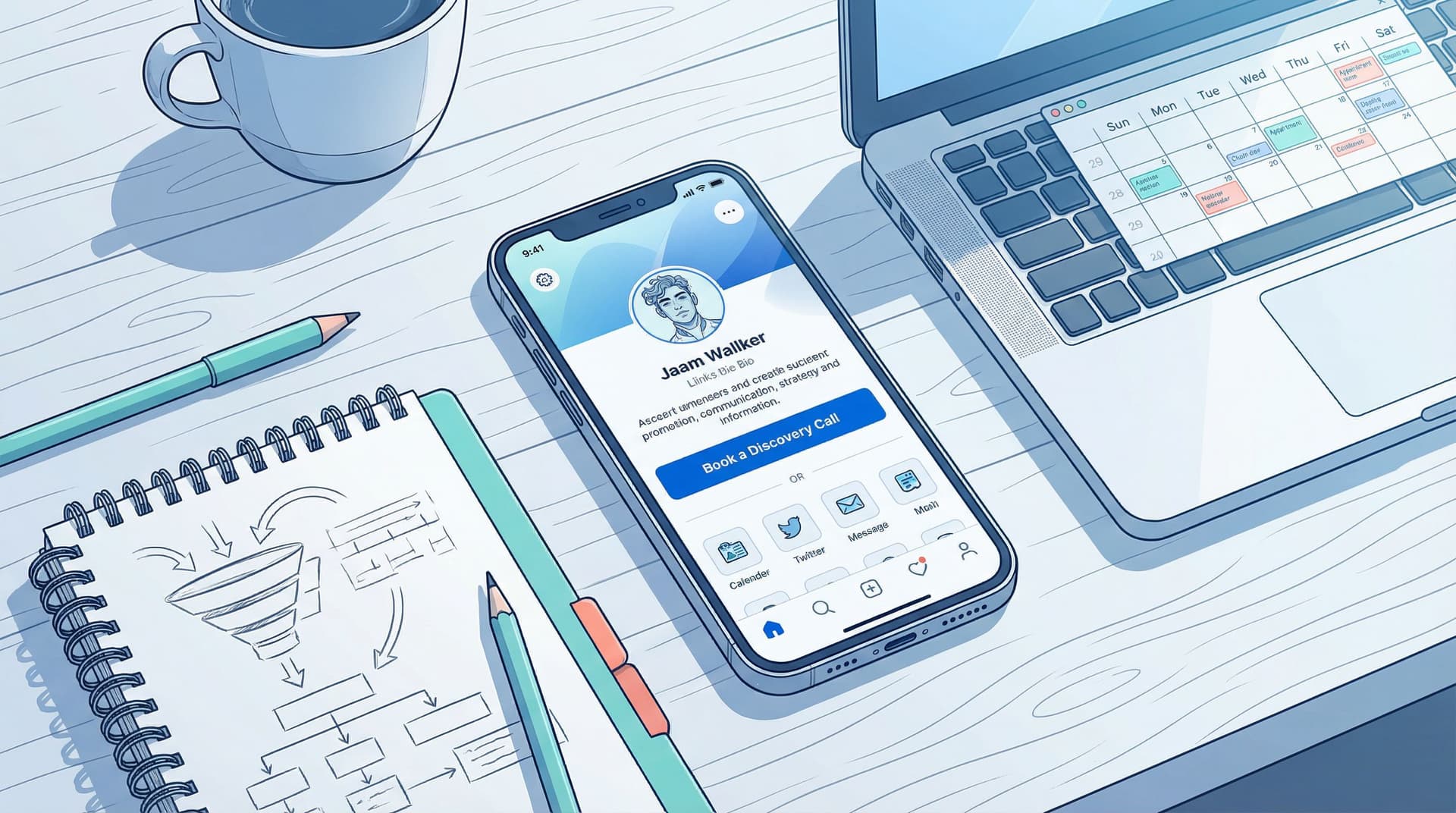
You do not need a full website to get paid.
You do need one place where your followers can:
- Understand what you offer
- Decide if you’re the right fit
- Book or inquire in a couple of taps
That place can absolutely be your Liinks page.
If your current setup is: “DM me to book 🥰” followed by 37 unread message requests… this one’s for you.
We’re going to turn your Liinks page into a tiny, good‑looking booking system that actually converts followers into freelance clients—without touching WordPress, Wix, or a single line of code.
Why Your Liinks Page Can Replace a Full Website (For Now)
Let’s be honest: most early‑stage freelancers don’t need a 7‑page site with a blog, case studies, and a moody About page.
They need:
- A clear description of what they do
- Proof they’re good at it
- A way to book, apply, or inquire
Your Liinks page can do all three in one scroll.
The perks of using Liinks as your “mini website”
1. It’s where the traffic already goes.
People are trained to tap “link in bio.” They’re not hunting down your .com from memory.
2. It loads fast and looks clean.
No bloated templates, no mystery layout issues on mobile. Just a simple, branded page that can look surprisingly premium (see: Broke but Branded: A No-Designer Guide to Making Your Liinks Page Look Shockingly High-End).
3. You can update it in minutes.
Raising your rates? Launching a new offer? Fully booked for the month? You can change your primary booking link or text in under a minute.
4. It quietly does “funnel” work for you.
Without ever saying the word funnel, you can route people from “I follow you” to “I booked you” using one simple path (if you like this idea, you’ll love Creator Funnels for People Who Hate Funnels: A No-Jargon Guide Using Liinks).
If you’re a designer, coach, photographer, editor, VA, strategist, or any other service‑based human, your Liinks page can absolutely be your main booking hub.
Step 1: Decide the One Main Action You Want
If your page tries to do everything, it will quietly do nothing.
Before you touch a single button style, answer this:
What is the one action you most want a potential client to take?
Common answers:
- “Book a discovery call”
- “Fill out my client application”
- “Purchase a done‑for‑you package”
- “Book a mini session / audit / intensive”
That one action becomes the star of your Liinks page.
Everything else? Supporting cast.
If you’re not sure how to pick that main action—or you’re juggling several offers—check out The ‘One Offer’ Liinks Makeover: How Simplifying Your Page Can Actually Boost Sales for a deeper walkthrough.
Your homework:
Write a single sentence: “The main thing I want new followers to do is ______.”
That blank is what your top button will be about.
Step 2: Turn Your Hero Area into a Mini Sales Pitch
The first screen of your Liinks page is prime real estate. Most people will decide whether to scroll or bounce in a couple of seconds.
You want that top section to answer three questions instantly:
- Who are you?
- Who do you help?
- What’s the next step?
Craft a client‑focused headline
Skip “Multi‑passionate creative ✨” and try something like:
- “Brand designer helping small businesses look as good as they sound.”
- “Freelance video editor for YouTubers who are tired of doing it all themselves.”
- “Copywriter turning your ‘About’ chaos into clear words that sell.”
Short, specific, and clearly tied to a service.
Add a one‑line promise
Right under your name, add a single line that hints at the result:
- “Book once, walk away with three months of content ready to post.”
- “Clean, conversion‑focused websites for service providers who hate tech.”
- “Done‑for‑you podcast editing so you can just hit record and relax.”
Put your main booking link above the fold
Your primary button should be visible without scrolling.
- Label it clearly: “Book a Strategy Call”, “Apply to Work With Me”, “Book a Mini Brand Audit”
- Avoid vague labels like “Work With Me” unless your audience already knows exactly what that means.
Step 3: Build a Simple Booking Flow (Without Fancy Software)
You don’t need a full‑blown CRM to start booking clients. You just need a clear, low‑friction path.
Choose your booking method
Pick one of these (you can always upgrade later):
-
Calendar + form combo
- Use a tool like Calendly, TidyCal, or Acuity Scheduling for calls.
- Create an event type like “Discovery Call – 20 Minutes” with:
- Short description
- A couple of qualifying questions (budget range, main goal, timeline)
- Clear expectations (Zoom? Phone? Who calls who?)
-
Form first, call later
- Use Tally, Typeform, or Google Forms.
- Ask the questions you’d normally ask in DMs:
- What do you need help with?
- What’s your deadline?
- What’s your approximate budget?
- Follow up manually with a booking link only for good fits.
-
Direct purchase for small services
- For audits, templates, or one‑off sessions, you can link directly to a checkout page via Stripe Payment Links, ThriveCart, Lemon Squeezy, or Gumroad.
- Your Liinks button sends people straight to the buy page.
Make the link names do the selling
Instead of:
- “Calendly”
- “Application form”
Try:
- “Book a Free 20‑Minute Discovery Call”
- “Apply for 1:1 Coaching (Spots Open for March)”
- “Book a 60‑Minute Strategy Intensive ($297)”
The more specific you are about what happens after the click, the more likely people are to take it.
Step 4: Arrange Your Links Like a Funnel, Not a Junk Drawer
Your Liinks page is not a link graveyard. It should gently guide a potential client from curiosity to commitment.
Think of your layout in layers:
Layer 1: The “Money Link”
This is your primary booking link—the one action you defined earlier.
- Make it the first button.
- Use a standout style (different color or size).
- Repeat it again near the bottom of the page for people who scroll.
Layer 2: Trust Builders
These links make people feel safe booking with you:
- Portfolio or samples – a gallery, Behance, Dribbble, Notion page, or simple Google Drive folder.
- Testimonials – a page, PDF, or even an Instagram highlight.
- Case studies – a Notion doc or blog post with before/after.
Name these clearly:
- “Client Results & Before/After Examples”
- “See My Design Portfolio”
- “What Clients Are Saying”
Layer 3: Relationship Builders
For people who aren’t ready yet but are interested:
- Newsletter signup
- Lead magnet (free guide, checklist, mini training)
- Your most helpful content (top YouTube playlist, podcast, or educational carousel series)
This is where a resource‑style setup shines—if you like this approach, you’ll get a lot from The ‘No New Content’ Strategy: How to Turn Your Existing Posts into a High-Converting Liinks Resource Library.
Layer 4: Everything Else
- Social links
- Shop links
- Random passion projects
They can be there—they just shouldn’t compete visually with your main client path.
Step 5: Use Design to Subtly Push People to Book
You don’t need to be a designer, but you do need your page to feel intentional. People are deciding whether to trust you with their money.
A few high‑impact tweaks:
1. Make your primary button visually distinct
- Use your boldest brand color for the main booking button.
- Use softer or neutral tones for everything else.
- Slightly increase the size or weight of the primary button.
This is the “click me” cue that quietly boosts conversions. For more on this kind of thing, see The “Link in Bio” Glow-Up: Tiny Visual Tweaks That Make People Actually Want to Click.
2. Keep the page short enough to scroll once
If people have to scroll forever to find your booking link, they won’t.
- Aim for 5–9 links total.
- Archive or hide anything that doesn’t support your main goal.
3. Use microcopy that reduces anxiety
Right under your main button, you can add a tiny line like:
- “No obligation—this is just a fit check.”
- “You’ll answer 4 quick questions, then pick a time.”
- “You’ll see pricing before you confirm.”
Microcopy is one of those quiet details that can double click‑through rate; if you want to go deeper on that, check out Beyond Aesthetics: Micro UX Tweaks on Your Liinks Page That Quietly Double Click-Through Rate.
Step 6: Pre-Qualify Clients Before They Hit Your Inbox
You do not want to spend your life replying to “hey what do you charge” DMs.
Let your booking flow do that screening for you.
Add smart questions to your form or calendar
Include 3–6 questions that help you:
- Filter out bad fits
- Understand the project quickly
- Show up to calls prepared
Examples:
- “What do you do, and who do you serve?”
- “What are you hoping to walk away with from working together?”
- “What’s your ideal start date?”
- “What’s your approximate budget?” (with ranges)
- “How did you find me?” (so you know which platform is working)
Be transparent about pricing
You’ll save a lot of time if you:
- List starting prices on your Liinks page (e.g., “Brand design packages from $1,500”).
- Or mention price ranges in your booking link description.
This alone can drastically cut down on “ghosting after seeing the quote.”
Step 7: Connect Your Content Directly to Your Booking Link
Now that your Liinks page is set up to book clients, you want your content to send people there on autopilot.
In your posts and stories
Instead of just “link in bio,” try:
- “Want me to do this for you? Tap the link in my bio and hit ‘Book a Strategy Call’.”
- “If this resonated and you want help implementing it, my client application is at the top of my link.”
You’re not just saying where to click—you’re saying which button to tap and why.
In your captions and descriptions
On platforms that allow links (YouTube, LinkedIn, email):
- Drop your Liinks URL once.
- Then explain what happens when they click: “First button is where you can book a free 20‑minute call.”
In your pinned content
Create one or two “start here” pieces of content:
- A reel or TikTok: “How to work with me (and what to expect)”
- A pinned post with FAQs
End them all with the same cue: “Tap my link and hit the [exact button name] to grab your spot.”
Consistency trains your audience to treat your Liinks page like your home base.
Step 8: Track What’s Working (Without Becoming a Data Goblin)
You don’t need a full analytics dashboard to make smart tweaks.
Start simple:
- Check link click counts inside Liinks to see:
- Which offers get the most interest
- Which trust‑building links people actually use
- Note where booked clients came from using your form question.
Then:
- Move your most‑clicked, most‑profitable links higher.
- Retire or demote links that never get touched.
- Experiment with different button labels for your main offer.
Tiny, regular tweaks > massive redesign you never finish.
Quick Example Layouts for Different Freelancers
Use these as plug‑and‑play templates.
For a social media manager
- Book a Free 20‑Minute Strategy Call
- Client Case Studies & Results
- Monthly Management Packages (Pricing & Details)
- Content Strategy Intensive – One‑Time Session
- Join My Email List for Weekly Content Prompts
- Follow Me on LinkedIn / YouTube
For a brand designer
- Apply for Brand Design (2 Spots Open This Month)
- Portfolio – Logos & Brand Systems
- Before/After Case Studies
- Brand Audit – 60 Minutes, $297
- Free Brand Clarity Checklist
- Shop: Canva Templates & Resources
For a coach or consultant
- Apply for 1:1 Coaching
- Book a One‑Off Strategy Session
- Client Wins & Testimonials
- Free Training: [Your Topic]
- Newsletter: Weekly Notes on [Your Niche]
- Podcast / YouTube Playlist
Notice the pattern: one main action, a couple of trust builders, then “nice to have” links.
Bringing It All Together
Let’s recap what turns a cute link in bio into an actual booking machine:
- One primary action you want people to take (book, apply, or buy)
- Client‑focused hero section that says who you help and how
- Clear booking flow using simple tools like Calendly, Tally, or Stripe links
- Layered link structure: money link → proof → nurture → extras
- Intentional design choices that spotlight your main button
- Pre‑qualifying questions that save your energy and filter leads
- Consistent content cues that send people to the exact button they should tap
- Lightweight tracking so you can keep improving without rebuilding from scratch
You don’t need a full site to start booking freelance clients. You need a focused, good‑looking Liinks page that behaves like a tiny, efficient website.
Your Next Move (Yes, Right After You Finish Reading This)
If you’re still sending people to a random list of links—or worse, just saying “DM me”—this is your sign to upgrade how you book clients.
Here’s a simple, 30‑minute plan:
- Log into Liinks (or create your page if you haven’t yet).
- Rewrite your headline and subheading so they clearly state who you help and how.
- Create or update one primary booking link and move it to the very top.
- Add 2–3 trust‑building links (portfolio, testimonials, case study).
- Remove or demote anything that doesn’t support that main action.
Then, this week, end at least three pieces of content with:
“Tap the link in my bio and hit the ‘[your button name]’ button to get started.”
Your followers are already tapping your link. It’s time to give them a clear, easy path to becoming clients—no full website required.