Screenshots, Not Spreadsheets: How to Build a Liinks Media Kit Brands Can Skim in 30 Seconds

Brands are not reading your 12‑page PDF.
They’re skimming your stuff between Zoom calls, Slack pings, and someone asking where the latest campaign brief went.
You have maybe 30 seconds to answer:
- Who are you?
- Who follows you (and where)?
- What kind of content do you actually make?
- Can you move the needle… or just rack up likes?
If your “media kit” lives as a dusty Canva link or a spreadsheet that looks like homework, you’re making that 30 seconds way harder than it needs to be.
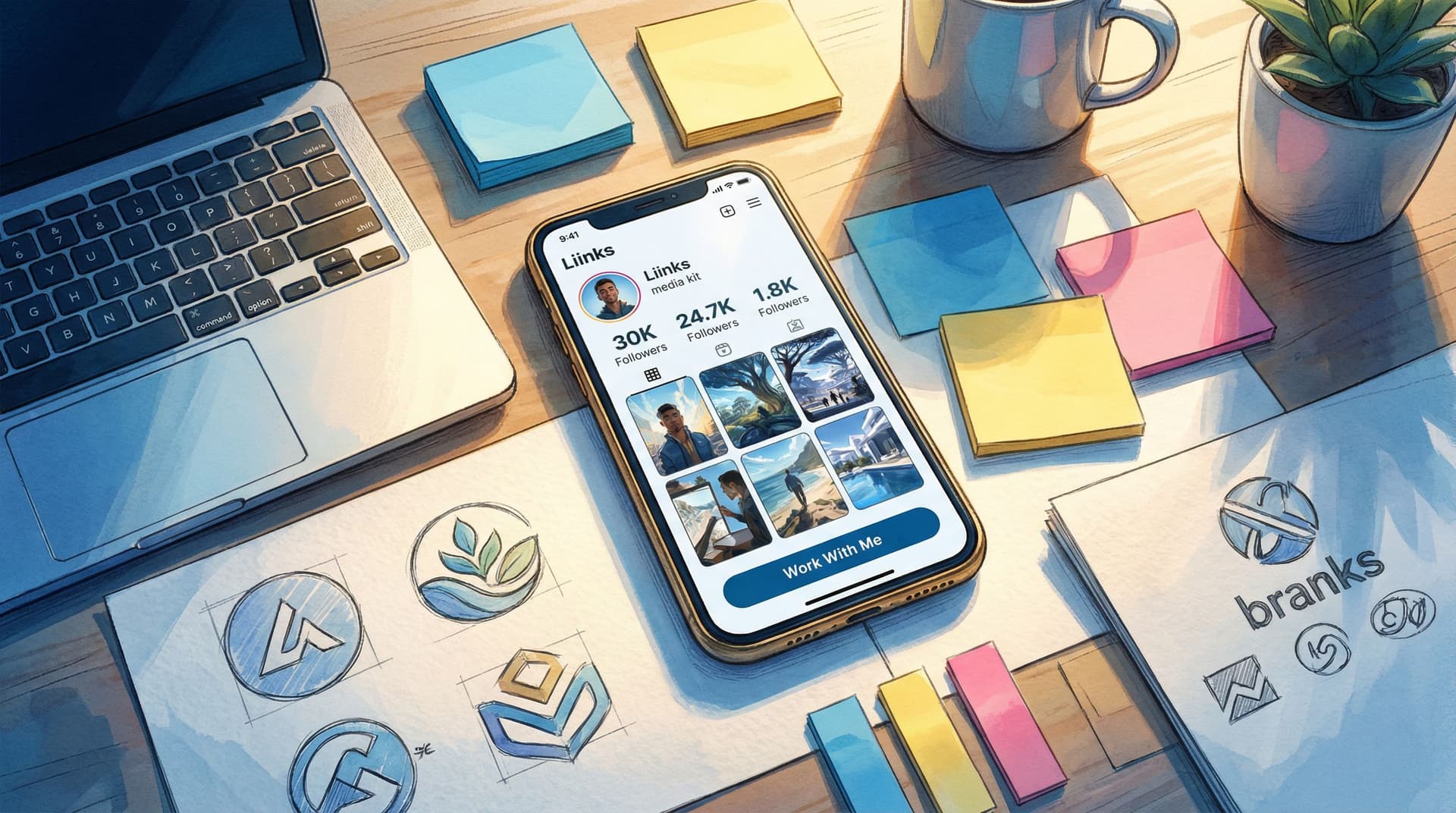
Instead, you can turn your link in bio into a living, screenshot‑ready media kit using Liinks—no extra website, no 40MB attachments, no “let me find the latest PDF” panic.
Let’s build a page brands can skim in half a minute and still walk away thinking: “Oh, this creator is legit.”
Why Your Media Kit Belongs in Your Bio (Not in a PDF Graveyard)
A traditional media kit is:
- Static
- Easy to forget to update
- Buried in your Google Drive
- Weirdly formal for someone who posts in pajamas
Meanwhile, the way brands actually check you out is:
- See your content
- Click your profile
- Tap your bio link
- Decide if you’re worth emailing
If that bio link goes to a random link list, you’re making them work. If it goes to a clean, on-brand Liinks page that doubles as your media kit, you’ve just turned curiosity into clarity in seconds.
A Liinks media kit gives you:
- Speed – Brands can skim your numbers, content examples, and past collabs in one scroll.
- Control – You can update stats, swap featured posts, or add new brand logos anytime without re‑exporting a PDF.
- Proof – Instead of telling them you get results, you show them with live links and screenshots.
- Consistency – The same link works for DMs, email pitches, and your public bio. (If you want to go deeper on why your bio link is secretly your best pitch deck, check out Brand Partnerships 101.)
What a 30‑Second Media Kit Actually Needs (And What You Can Ditch)
If someone only glances at your page for half a minute, they should be able to answer five things:
- Who you are (personality + niche)
- Who follows you (platforms + key stats)
- What you make (formats + examples)
- Who trusts you already (brands, testimonials, or social proof)
- How to work with you next (clear, easy contact path)
Everything else is optional.
Here’s what to prioritize on your Liinks media kit:
-
A one‑sentence positioning line
“Beauty creator for 30+ skin, known for honest reviews and realistic routines.”
Not “Lifestyle influencer. Business inquiries: email below.” -
Snapshot stats, not a stat dump
- Follower count on your top 1–3 platforms
- Average views or reach on your main format (Reels, TikToks, YouTube videos, etc.)
- Engagement rate range (rounded, not to the third decimal)
-
Visual proof
- Screenshots of your best‑performing posts
- Thumbnails of standout videos
- A couple of on‑brand photos of you (not stock)
-
Past partnerships or logos
- Brand logos (even small ones)
- One‑line outcomes: “4x swipe‑ups vs. campaign average” or “Sold out limited drop in 48 hours.”
-
Clear next step
- “Email my manager” or “Submit a brief” button
- Optional: a short ‘Partnership Menu’ with starting rates or packages
What you can skip:
- Long paragraphs about your “journey”
- Every single platform you’ve ever touched
- A line‑by‑line rate card that locks you into numbers you’ll regret later
Step 1: Set Up a Dedicated Liinks Media Kit Page
If your current bio link is chaos, breathe. You don’t have to blow it up. You’re just adding a purpose‑built page inside Liinks that acts as your media kit.
Here’s the basic setup:
- Create a new page in Liinks and name it something like
yourname-media-kitoryourname-for-brands. - Choose a clean layout – Think mini homepage, not cluttered menu. If you want inspiration, Mini Homepages, Major Results walks through layouts that feel like a real site (without needing an actual site).
- Match your branding – Use your existing colors, fonts, and vibe so brands feel like they’re in the same world as your content.
- Decide how public it is – You can:
- Link this page directly in your bio (great if collabs are a big part of your business), or
- Keep your main Liinks page public and use a button like “For Brands & Collaborations” that routes to your media kit page.
Pro tip: Use a short, memorable URL slug so you can easily drop it in DMs and email pitches:
liinks.co/yournamebrandslooks clean in a pitch deck.
Step 2: Lead With a Skimmable “For Brands” Header
The top of your Liinks media kit should answer, in 5 seconds:
Who are you, what do you do, and why should a brand care?
Structure it like this:
1. Name + role
“Alex Rivera — Beauty & Skincare Creator”
2. One‑liner with a hook
“Helping busy 9–5ers build realistic routines with honest reviews and no gatekeeping.”
3. Micro‑stats row
Use small text or badges to show:
- 120k on Instagram
- 80k on TikTok
- 45k average Reels views
On Liinks, you can:
- Use headings for your name and role
- Add a short text block for the one‑liner
- Create a simple horizontal section (or stacked blocks) for key stats
Keep this section tight. If a brand manager screenshotted only the top of your page and dropped it in a Slack channel, would it still make sense? That’s the goal.
Step 3: Turn Your Best Posts into Visual Proof
This is where screenshots beat spreadsheets every time.
Instead of listing “average engagement rate: 4.3%,” show them:
- A Reel that hit 500k views
- A TikTok that drove 10k link clicks
- A story sequence with 70% completion rate
How to do it:
-
Pick 3–6 hero posts
- 1–2 high‑reach pieces (viral or close)
- 1–2 solid, on‑brand posts that represent your typical performance
- 1–2 sponsored posts that did well (if you have them)
-
Screenshot smartly
- Crop to show: views, saves, comments, or swipe‑ups
- Hide anything sensitive (DMs, usernames)
- Keep them legible on mobile—no microscopic text
-
Upload or link them on Liinks
- Use image blocks to display screenshots
- Under each, add a tiny caption like:
- “Reel for X brand — 312k views, 2.1k saves”
- “Organic TikTok — 98k views, 1.4k profile visits”
-
Optional: group by type
- “Organic content highlights”
- “Sponsored content results”
Brands think in campaigns and outcomes. Visual proof says, “This isn’t hypothetical. This is what actually happens on my page.”
If you want more ideas on using story and layout to guide clicks (without feeling salesy), you’ll love Story-First Liinks.
Step 4: Add a Simple, Clear Stats Snapshot
We’re not building a data dashboard. We’re giving brands just enough numbers to feel confident.
Create a compact stats section that includes:
-
Top platforms + followers
- “Instagram — 120k followers”
- “TikTok — 80k followers”
- “YouTube — 12k subscribers”
-
Content performance
- “Reels: 45k avg views (last 30 posts)”
- “TikTok: 32k avg views (last 30 posts)”
-
Audience highlights (if you have them)
- “Audience: 78% women, 22–34, US & UK based”
- “Top interests: skincare, wellness, beauty shopping”
On your Liinks page, this can be a simple text block or a few clean bullet lists—no charts necessary.
Guidelines:
- Round numbers. “120k” > “119,483”
- Update quarterly or monthly (set a reminder)
- If a platform is tiny and irrelevant to brands, leave it off
If you’re already tracking link performance, you can pull a few insights from your Liinks analytics too—things like “Top clicked links” or “% of traffic from Instagram vs. TikTok.” For a deeper dive into what’s worth tracking, bookmark Analytics Without the Headache.
Step 5: Show Brands You’re “Brand-Safe” Without Being Boring
Brands want two conflicting things from creators:
- Someone with personality and a real point of view
- Someone who won’t get them yelled at in a board meeting
Your Liinks media kit can quietly answer both.
Add a section that includes:
- Brand logos you’ve worked with (even if it was gifted or small)
- Short quotes from brand partners or happy clients
- One‑line outcomes where you have them
Examples:
- “Sephora (UGC content)”
- “GlowCo Skincare — Sponsored Reel reached 3.2x their typical campaign average.”
- “Brand feedback: ‘So easy to work with and nailed the brief on the first try.’”
No logos yet? Use:
- Screenshots of positive comments from your audience about products you recommend
- A line like: “I’ve created UGC and organic content for indie beauty brands and local boutiques; open to long‑term partnerships.”
This section is less about flexing and more about saying: You’re not the first person to trust me, and you won’t be the last.
Step 6: Make It Ridiculously Easy to Contact You
The number of creators who make brands hunt for their email is… impressive.
Your contact section should be:
- Obvious
- Repeated
- One tap away
Use:
- A bold button: “Email My Manager” or “Send a Brief” that opens a mailto: link or a Typeform/Notion form
- Your email written out once in small text below, for copy‑paste
- Optional: a second button like “View More Work” that routes to your main portfolio or standard Liinks page
If you offer services (UGC, photography, consulting), you can also:
- Add a short “Ways to Work Together” list:
- Sponsored content (Reels, TikToks, Stories)
- UGC for brand channels
- Whitelisting / paid usage
No need for a full rate card here. You can always share detailed pricing once they reach out.
Step 7: Keep It Alive With Light, Regular Updates
The magic of using Liinks as your media kit is that it’s living, not locked.
Set a recurring 15‑minute check‑in (monthly or quarterly) to:
- Update follower counts
- Swap in 1–2 new hero posts
- Add any new brand logos or testimonials
- Refresh your one‑liner if your niche has evolved
You don’t need to overhaul the whole thing—just keep it honest and current.
If you’re someone who dreads constant updates, you’ll vibe with Evergreen, Not Exhausting, which shows you how to build a Liinks setup that keeps working even when you forget it for a while.
Putting It All Together: A Simple Layout You Can Copy
Here’s a plug‑and‑play structure you can recreate on your own Liinks media kit page:
-
Hero Section
- Name + role
- One‑liner
- Micro‑stats row (top platforms + average views)
-
Content Highlights
- 3–6 screenshots with short captions
- Mix of organic and sponsored content
-
Audience & Stats Snapshot
- Follower counts
- Average views / reach
- Key audience demographics
-
Brands & Results
- Logos or simple text list
- 2–3 one‑line outcomes or testimonials
-
Work With Me
- Short list of partnership types
- Primary contact button
- Secondary button to main portfolio or Liinks page
If you’re already using Liinks as a “living media kit” for your whole online presence, this page is basically a more brand‑focused version of what you built in From Feed to Portfolio.
TL;DR: Why Screenshots Beat Spreadsheets
Your media kit’s job is not to impress a professor. It’s to help a busy brand manager decide, fast, that you’re a good bet.
By turning your Liinks page into a visual, skimmable media kit, you:
- Put your best content and results front and center
- Make your stats easy to digest at a glance
- Show you’re brand‑safe and still yourself
- Give brands a single, simple place to say “let’s talk”
And because it’s all built on Liinks, you can update it in minutes without ever opening a design file or spreadsheet.
Your Next Move (Do This Before Your Next Pitch)
Before you send another “Hey, I’d love to collaborate” email:
- Log into Liinks.
- Create a dedicated media kit page (or clone your existing page and tweak it for brands).
- Add:
- A sharp one‑liner about who you are and who you serve
- 3–6 screenshots of your best posts with mini captions
- A simple stats snapshot
- Any brand logos / testimonials you have
- A big, obvious contact button
- Replace the “attachments” section of your next pitch with one clean line:
“You can see my live media kit here: your Liinks URL.”
That’s it. No spreadsheets. No 20MB PDFs. Just a page that looks good, loads fast, and tells brands exactly what they need to know in under 30 seconds.
Go build the media kit your content deserves.