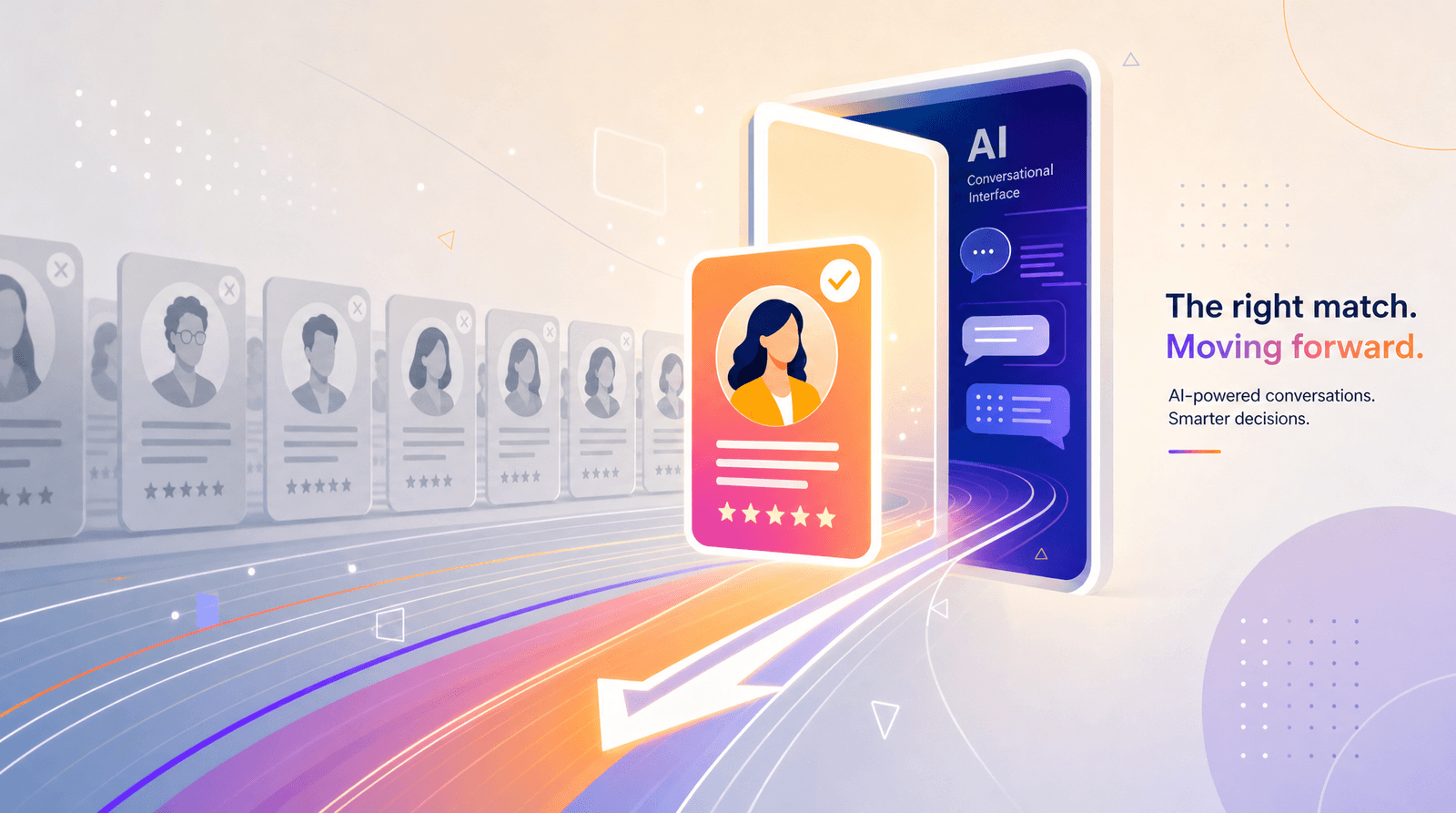
AI-Assisted Link in Bio: Using ChatGPT and Liinks Together to Plan Offers, CTAs, and Layouts

Your link in bio is secretly your highest-intent traffic source.
People don’t tap it by accident. They tap it because they’re thinking:
- “What does this person actually do?”
- “Where’s that thing they mentioned?”
- “How do I buy / book / binge more?”
And yet, most creators treat that little page like a junk drawer of random buttons.
Meanwhile, you’re sitting here with access to two extremely powerful tools:
- Liinks – the place where all those clicks land
- ChatGPT – the brain you can borrow to plan what those people see and do once they get there
Used together, they’re basically your tiny, always-on conversion team: one handles the looks, the other handles the thinking.
This post is your guide to using AI as a planning partner for your link in bio—so you’re not just throwing links on a page, you’re building a mini funnel that actually makes sense.
Why Bother Planning Your Link in Bio With AI At All?
Let’s address the obvious question: why not just add your latest thing and call it a day?
Because that’s how you end up with:
- A dozen competing CTAs
- Confusing layouts
- Offers that don’t match what your audience is ready for
- People clicking… and then bouncing
When you loop ChatGPT into the process before you touch your Liinks layout, you get:
- Clarity – which offers matter most right now (and which can chill)
- Better CTAs – no more “Click here” and “New post” energy
- Smarter structure – sections and layouts that match how people actually move from curious to client
- Less decision fatigue – because the AI does the heavy lifting on options, and you just pick what feels right
If you’ve already started turning your Liinks page into a funnel, posts like From Clicks to Clients: Mapping a Simple Service-Based Funnel Using Only Your Liinks Page show what that funnel can look like. This post is about using AI to help you plan it faster.
Step 1: Tell ChatGPT Who’s Actually Clicking Your Bio
AI is only as useful as the context you feed it. If you tell ChatGPT, “Help me with my link in bio,” it will do its best… but it’s guessing.
Instead, give it a mini brief.
Prompt template you can paste into ChatGPT:
I’m a [niche/role] who creates content about [topics]. My main platforms are [platforms]. The people clicking my bio link are usually: [describe 2–3 types of people, e.g. ‘new followers from Reels,’ ‘warm leads from my email list,’ ‘brand partners checking me out’]. My main goals this month are: [e.g. grow my email list, sell my course, book 1:1 clients]. Act like a funnel strategist and help me understand what those visitors are probably looking for when they tap my bio.
Ask it to:
- Identify 3–4 audience segments that are likely landing on your Liinks page
- Guess their top questions ("What do you do?" "How do I work with you?" "Where do I start?")
- Suggest 1 ideal next step for each segment
You’re not asking AI to tell you who you are. You’re asking it to organize what you already know about your audience.
What you’ll walk away with: a short list of “types of visitors” and the one action each should take. That’s the backbone of your future layout.
Step 2: Use ChatGPT to Prioritize Your Offers (So Your Page Stops Being a Buffet)
You probably have:
- A main paid offer (service, program, shop, membership)
- A couple of micro-offers or low-ticket products
- A lead magnet or newsletter
- Maybe a portfolio or case study link
The temptation is to give them all equal space. The result is… chaos.
Instead, ask ChatGPT to help you rank what actually matters this month.
Prompt template:
Here’s a list of my current offers and key links: [paste everything, including freebies]. My main business goal this month is [goal]. My audience is mostly [describe]. Please: (1) rank these offers/links by importance for that goal, (2) suggest which should be primary vs secondary on my link-in-bio page, and (3) recommend if any should be removed or grouped.
Have it:
- Label Primary actions (e.g. “Book a strategy call,” “Join the program waitlist”)
- Label Secondary actions (e.g. “Read my blog,” “Listen to the podcast”)
- Group nice-to-have links under one expandable section or a single “More resources” link
If you’re a fan of micro-offers, this is a great moment to re-read From Lurkers to Superfans: Using Micro-Offers on Your Liinks Page to Warm Up a Cold Audience and ask ChatGPT where those tiny offers should live in the flow.
Your rule of thumb:
One primary money-making action above the fold. Everything else supports or warms people up for that.
Liinks makes this easy because you can visually emphasize that primary action with size, color, or placement, while still keeping your other links accessible.
Step 3: Let AI Draft Your CTAs (Then You Add the Personality)
Most link-in-bio buttons die because the copy is boring.
- “New YouTube video”
- “My website”
- “Freebie”
That’s information, not invitation.
Use ChatGPT as your brainstorming buddy for micro-CTAs, then punch them up with your voice.
Prompt template:
I’m updating my Liinks page. I need micro-CTAs (max ~40 characters) for these links: [list each link with a short description and who it’s for]. My voice is [3–5 adjectives, e.g. ‘witty, direct, slightly chaotic but clear’]. Please give me 5 options per link that feel specific and action-focused.
Examples of what you might get back:
- Instead of “Book a call” → “Grab a 30-min clarity call”
- Instead of “Free guide” → “Steal my content calendar template”
- Instead of “Portfolio” → “See real client glow-ups”
If you want a deeper dive on this, bookmark From ‘Check Out My Stuff’ to ‘Book Me Now’: Rewriting Boring Link-in-Bio Copy into Clickable Micro-CTAs and use it as your swipe file while you experiment.
Quick editing checklist for AI-written CTAs:
- Is it specific? (What exactly happens when they click?)
- Is it targeted? (Does it speak to a particular type of visitor?)
- Is it clear? (No cleverness if it kills comprehension.)
- Is it you? (Tweak words so it sounds like something you’d actually say.)
Drop your final CTAs into your Liinks buttons and sections. Tiny words, big difference.
Step 4: Co-Design Your Layout With ChatGPT Before You Touch Liinks
This is where layout overwhelm usually kicks in: columns, sections, headers, featured links… and you suddenly feel like you’re designing a skyscraper, not a scrollable page.
Use ChatGPT as your wireframing assistant.
Prompt template:
Based on everything we’ve discussed (audience segments, prioritized offers, and CTAs), propose 2–3 different layout structures for a single-page link in bio built on Liinks. Please describe each layout in sections, from top to bottom, including suggested headings, which links go where, and what should be visually highlighted.
Ask it for:
- A “one main offer” layout – perfect if you’re mid-launch or really pushing one thing (pairs well with ideas from The ‘One Offer’ Liinks Makeover: How Simplifying Your Page Can Actually Boost Sales).
- A “multi-passionate but clear” layout – ideal if you do several things and need clear sections.
- A “service-based funnel” layout – for coaches, stylists, photographers, etc. (Think: intro → social proof → main service → low-friction next step.)
Once you pick a favorite structure, translate it into Liinks:
- Create sections that match your AI-planned headings (e.g. “Start Here,” “Work With Me,” “Free Resources,” “Proof It Works”).
- Add your links in the order AI suggested.
- Use design cues (colors, icons, spacing) to make your primary CTA unmistakable.
You’re not letting AI design for you; you’re letting it handle the logic so you can focus on the aesthetics.
Step 5: Have ChatGPT Turn Social Proof Into Strategic Sections
If you’ve ever thought, “I know my work is good, I just don’t know how to show it on one page,” this step is for you.
Gather:
- 5–10 of your best testimonials
- Screenshot descriptions (or copy) of DMs and comments
- Links to case studies, portfolio pieces, or before/after examples
Then feed them to ChatGPT.
Prompt template:
Here are some testimonials, DMs, and results my clients or customers have shared: [paste]. Please (1) group them into 2–3 themes, (2) write short headlines for each theme that would look good as section headers on my Liinks page, and (3) draft 2–3 micro-CTAs that would encourage people to click into a portfolio, case study, or booking link after seeing this proof.
You can then:
- Create a “Results & Receipts” (or similar) section on Liinks
- Feature 1–2 of the strongest proof pieces as their own links
- Use the AI-written micro-CTAs to guide people from “Oh wow, this works” to “Okay, I’m in”
If you want to go deeper on this, pair this step with the strategies in Screenshots Sell: How to Turn Social Proof into Strategic Liinks Sections That Quietly Close Clients.
Step 6: Ask AI to Stress-Test Your Page Before You Hit “Share”
You’ve got your layout, CTAs, offers, and proof in place on Liinks. Before you blast “link in bio updated!” across your platforms, make AI play the role of your pickiest visitor.
Prompt template:
Here is the text and structure of my current Liinks page: [copy/paste headings, button labels, and a quick description of what each link leads to]. Please evaluate this from the perspective of: (1) a brand new follower who doesn’t know me, (2) a warm lead who’s been following for a while and is close to buying, and (3) a potential brand partner or collaborator. For each, tell me: what’s confusing, what’s missing, and what’s the single most important change I should make to help them take the next step.
Look for patterns in the feedback:
- Are all three “people” confused about what you actually offer?
- Is your primary CTA buried under content links?
- Is there no clear “start here” moment for newbies?
Make 1–2 changes per round. You don’t need perfection; you need a page that makes it obvious what happens next.
Step 7: Keep a Recurring “AI + Liinks” Tune-Up Ritual
Your content evolves. Your offers evolve. Your audience grows.
Your link in bio should not be frozen in time from three launches ago.
Use ChatGPT as your monthly (or even weekly) check-in partner:
- Every month, paste your current Liinks structure and ask:
- “What can I remove or de-prioritize based on my current goals?”
- “Where am I sending people that doesn’t really serve my business anymore?”
- Before a launch, ask:
- “How would you rearrange this page to highlight [specific offer] for the next 2 weeks without breaking everything else?”
- During quiet seasons, pair AI with ideas from What to Link When You’re Launching Nothing: Low-Lift Liinks Ideas That Still Grow Your Brand Between Big Drops to keep your page feeling fresh even when you’re not pushing a big offer.
Because Liinks is quick to edit, these AI-powered tweaks don’t become a whole project. They’re just tiny, strategic nudges that keep your page aligned with what you’re actually doing.
Quick Example: A Service Provider Using AI + Liinks in One Afternoon
Let’s say you’re a social media manager.
Your goals this month:
- Book 3 done-for-you clients
- Grow your email list with a “Content Ideas Vault” freebie
What you do with AI + Liinks:
- Clarify visitors – You tell ChatGPT: “I get new followers from Reels, warm followers from my Stories, and referrals from clients.” It helps you map: newbies → freebie, warm leads → service page, referrals → portfolio.
- Prioritize offers – AI helps you rank: (1) Done-for-you services, (2) Freebie, (3) Portfolio, (4) Podcast.
- Draft CTAs – It gives you options like “Done-for-you social? Start here” and “Steal 365 post ideas (free).” You tweak the phrasing to sound like you.
- Design layout – Together you land on: intro → “Start Here” freebie → “Work With Me” → “Client Wins” → “Deep Dive Content.” You build that in Liinks, making “Work With Me” visually louder.
- Add proof – You paste client testimonials and have AI group them into a “Booked Out in 60 Days” theme with a CTA: “See the strategy behind these results.” That links to a case study.
- Stress-test – AI, pretending to be a warm lead, tells you it’s not clear what your packages cost. You add a “Pricing & Packages” link with a clear CTA.
End result: a page that looks good, feels like you, and gently routes different visitors to the right next step—without you spending three evenings agonizing over button order.
Bringing It All Together
Used separately, ChatGPT and Liinks are nice-to-haves.
Used together, they become:
- Your strategy partner (AI) + your conversion home base (Liinks)
- A way to plan offers, CTAs, and layouts without spinning out
- A repeatable process you can run every time your goals or offers shift
Your new workflow, in one glance:
- Tell ChatGPT who’s clicking your bio and what you want them to do.
- Let it help you prioritize offers around a single main goal.
- Use it to brainstorm specific, on-brand CTAs for each link.
- Co-design your layout on paper (well, in chat) before you build it.
- Turn your proof into strategic sections that actually sell.
- Have AI stress-test your page from multiple visitor perspectives.
- Rinse and repeat with small tune-ups as your business evolves.
You bring the vision and the vibe. AI brings structure and options. Liinks brings the design and the clicks.
Your Next Move (Yes, This Is Your CTA)
Don’t turn this into a someday project.
Here’s a simple first step you can take right after you finish reading:
- Open your current Liinks page in one tab.
- Open ChatGPT in another.
- Paste this into ChatGPT:
I want to improve my link-in-bio page that’s built on Liinks. My main goal this month is [goal]. The people clicking are mostly [describe]. Here are my current links and offers: [paste]. Act like a conversion strategist and help me: (1) prioritize which offers/links should be primary vs secondary, (2) suggest a simple layout structure for my page, and (3) write clearer, more compelling micro-CTAs for my top 5 links.
- Take the best ideas and implement just one layout change and two CTA upgrades on your Liinks page.
That’s it. No giant rebuild. No 47-tab spiral.
One tiny AI-assisted tweak at a time, your link in bio stops being a list—and starts behaving like a quietly effective, very good-looking conversion engine.