From Swipe-Up to Sign-Up: Turning Story Views into Email Subscribers with a Smarter Liinks Layout

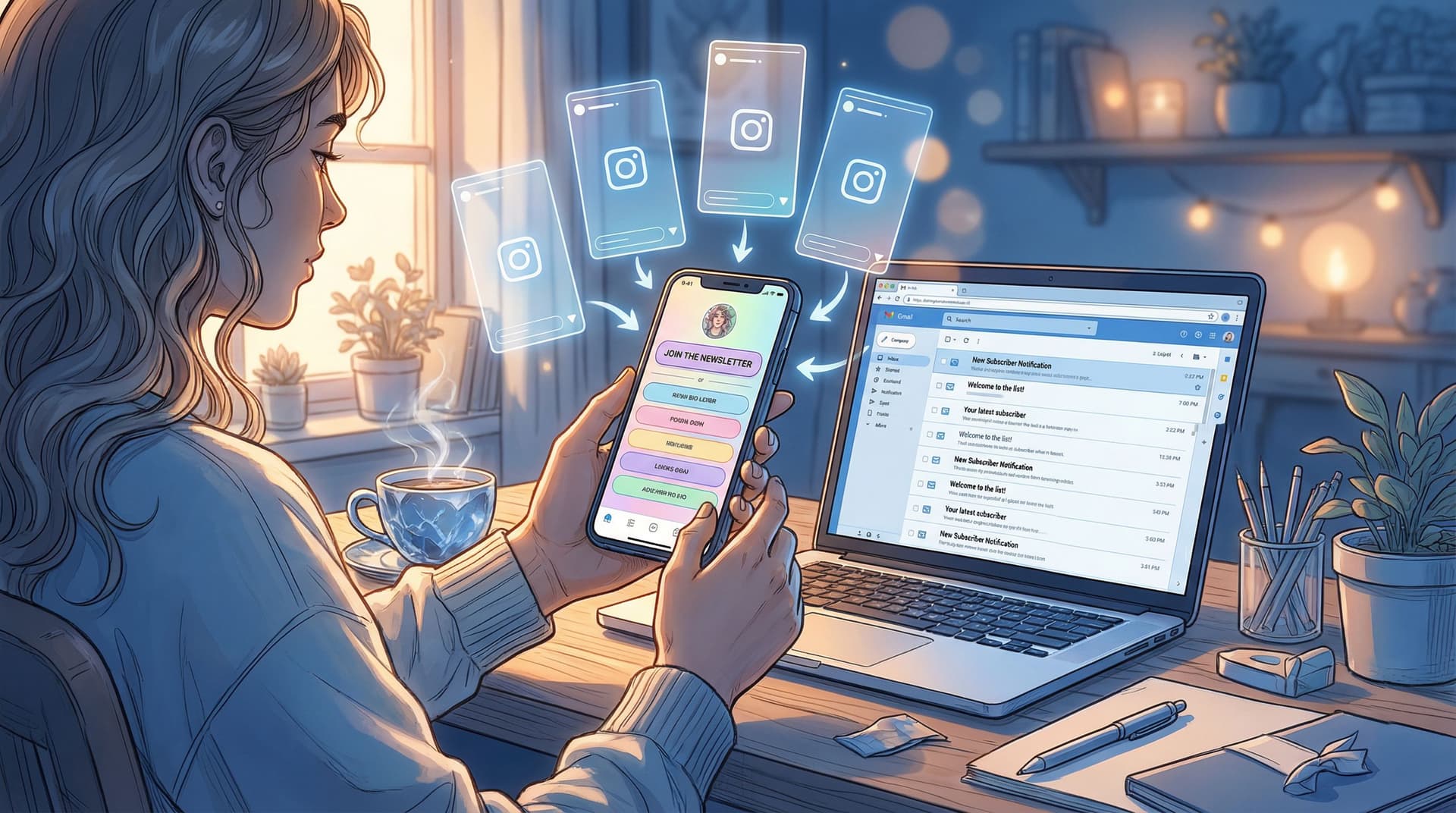
Stories disappear. Email lists don’t.
If you’re pouring effort into Instagram Stories, TikTok Stories, YouTube Stories, whatever-stories… and your email list is still stuck at “friends and one very supportive aunt,” the problem probably isn’t your content.
It’s the handoff.
You’ve got people tapping through your stories, replying to polls, voting on quizzes, DM’ing you questions. That is warm traffic. But if your link setup is basically: “bio link → chaos → maybe a tiny ‘newsletter’ button somewhere in the middle,” you’re leaking subscribers every single day.
This guide is about fixing that — by treating your Liinks page like a conversion-optimized landing page for your stories, not just a cute list of buttons.
We’re going to turn:
- Story views → profile taps
- Profile taps → Liinks clicks
- Liinks clicks → email sign-ups
…with layout choices that quietly do most of the work for you.
Why Story Views Are Your Secret List-Building Superpower
Social platforms are amazing for reach, but you don’t own that reach. Algorithms change, features vanish, and one random account flag can throttle you overnight. Meanwhile, email keeps quietly outperforming social on actual engagement and revenue — with many estimates putting email ROI around $36 for every $1 spent, compared with a fraction of that from social alone.
When someone joins your list, you get:
- Direct access to their inbox (no algorithm middleman)
- Higher intent than a casual follow
- A channel you control, even if a platform glitches, bans, or rebrands itself for the 4th time
Your stories are one of the best places to earn those sign-ups because:
- People watching your stories are already warm — they chose to tap through
- You can build context across multiple frames (problem → tease → solution → link)
- You can repeat the same offer over days without clogging your main feed
The only catch? Once they tap your bio, the experience has to stay that clear.
That’s where a smarter Liinks layout comes in.
Step 1: Decide Exactly What Your Stories Are Selling
If every story is pointing to “link in bio” but your Liinks page is trying to:
- Sell your course
- Book 1:1 calls
- Push three different freebies
- Promote your latest YouTube video
- Showcase affiliates
…you’ve turned a simple decision (“Do I want this free thing?”) into a choose‑your‑own‑adventure.
For story → email conversions, you need one primary story offer at a time.
Ask yourself:
-
What’s the main list-building offer I’m driving this week?
- A lead magnet (checklist, template, mini guide)
- A waitlist (course, membership, product launch)
- A newsletter with a clear promise (e.g., “3 creator income ideas every Sunday”)
-
What’s the one sentence that sells it?
- “Get my Notion content calendar template (free).”
- “Join 2,300+ creators getting my weekly ‘Monetize the Feed’ email.”
- “Hop on the waitlist for my editing presets — early-bird pricing only for email subs.”
That sentence is going to show up:
- In your story frames
- In your bio
- As the top CTA on your Liinks page
If you need help clarifying your offer stack overall, bookmark The Anti-Overwhelm Offer Stack: How to Organize Freebies, Tripwires, and Core Offers on a Single Liinks Page for after this.
Step 2: Make Your Bio and Stories Match (On Purpose)
People are far more likely to subscribe when the promise in your story matches what they see when they tap your link.
On your stories
Use a simple structure over 2–4 frames:
-
Problem / desire
“Still posting daily with no idea what actually leads to sales?” -
Tease the solution
“I put my exact weekly content planner into a free Notion template.” -
Clear CTA
“Tap my bio link → big purple button that says ‘Get the Content Planner’ → drop your email, done.” -
Reminder / social proof (optional)
“Already 600+ creators grabbed it this week. Link’s in my bio.”
In your profile bio
Add a line that reinforces the same offer:
“Free weekly content planner template ↓”
This way, when someone taps from story → profile → Liinks, their brain is already primed for one specific action.
Step 3: Turn Your Liinks Layout into a Mini Landing Page
Here’s where most creators lose subscribers: their Liinks page looks like a beautifully branded settings menu.
Pretty? Yes.
Focused? No.
A smarter layout treats the top of your Liinks page like a landing page hero section.
Above-the-fold priorities
When someone taps your bio link, the first screen they see should make it painfully obvious how to sign up.
Think:
- One primary block at the top dedicated to email sign-up
- Visual emphasis on that block vs everything else
- Zero scrolling required to understand what they get
On Liinks, that might look like:
- A featured card or block with:
- A bold headline (e.g., “Get My Weekly ‘Story to Sale’ Breakdown”)
- One-line benefit (e.g., “Real examples of stories that turned views into revenue — every Friday.”)
- A single, high-contrast button: “Join the List” or “Send Me the Template”
- Supporting visual: an image of your lead magnet, a screenshot of your newsletter, or a simple on-brand background
Everything else (shop, YouTube, affiliates, blog) lives below that.
Layout rules that quietly boost sign-ups
Use these simple design rules when you’re editing your Liinks page:
-
One primary CTA color reserved for email-related buttons
-
Bigger button for the sign-up link than everything else
-
Short labels that sell the benefit, not the mechanic:
- Instead of:
Newsletter - Use:
Get Weekly Story-to-Sale Tips
Instead of:
Freebie Library- Use:
Grab 5 Free Content Templates
- Instead of:
If you want to nerd out more on how design choices affect performance, check out Aesthetic Meets Algorithm: How Design Choices on Your Liinks Page Quietly Boost SEO.
Step 4: Create Story-Specific “Landing States” on Your Liinks Page
You probably talk about different things on different days:
- Monday: content tips
- Wednesday: behind-the-scenes
- Friday: Q&A or product feature
Instead of sending all of that traffic to the exact same generic layout, you can lightly “theme” your Liinks page for the offer you’re pushing in stories that week.
Option A: Dedicated story campaign block
Create a temporary top block labeled specifically for that story sequence, for example:
From Story: Grab the 7-Day Content CalendarAs Seen in Today’s Stories: Email List Starter KitStory Challenge: Join the 5-Day Reels Bootcamp
Then:
- Move that block to the very top of your Liinks layout
- Match the colors to the story frames (same background/brand color)
- Use the same headline phrasing they just saw in your stories
When the push is over, drag that block back down or hide it. No need to rebuild your whole page.
Option B: Story-specific Liinks pages
If you run bigger campaigns (like launches or list-building sprints), you can:
- Create a separate Liinks page just for that campaign
- Use that URL in your stories instead of your usual bio link (or swap your main bio link for a few days)
This is especially powerful for things like waitlists or challenges where you want zero distractions.
For even more experimentation ideas, read From ‘Link in Bio’ to Launchpad: Using Liinks to Soft-Test New Offers Before You Build the Whole Funnel.
Step 5: Make the Email Sign-Up Feel Like a Reward, Not Homework
“Join my newsletter” is… fine.
But “Get X result in Y time” is better. Your stories have already warmed people up; your Liinks layout should make the actual sign-up feel like the obvious next step.
Upgrade your copy
On your Liinks sign-up block, test copy like:
-
Outcome-based headlines
- “Turn Story Views into Sales (Weekly Breakdown)”
- “Stop Posting Blind: Get My Content Planner Template”
- “Steal My 3 Highest-Converting Story Scripts”
-
Tiny proof points
- “Join 1,200+ creators”
- “Used for 30+ client launches”
- “Takes 5 minutes to set up”
-
Low-friction microcopy near the button
- “No spam, unsubscribe anytime.”
- “One email per week, max.”
Reduce friction in the form
Wherever your email form actually lives (email platform landing page, embedded form, etc.):
- Ask for email only (maybe first name, if you really need it)
- Keep the page mobile-first: big fields, big button, no tiny text
- Repeat the benefit at the top: they should instantly recognize what they’re signing up for
If you’re using a standalone email tool, many of them (like ConvertKit, Beehiiv, or Flodesk) let you create simple landing pages that slot perfectly behind a Liinks button.
Step 6: Build a Simple Story → Liinks → Email “Script” You Can Reuse
You don’t need a brand-new angle every time you mention your list.
Create 2–3 reusable story flows you can rotate through:
Flow 1: The Mini Tutorial → Deeper Dive
- Teach a tiny tip in 3–4 frames
- End with: “If you want the full breakdown / templates, they’re in my weekly email.”
- CTA: “Tap my bio → ‘Get the Weekly Breakdown’ button.”
Flow 2: The Before / After
- Frame 1–2: Show “before” (your messy process, your client’s old results)
- Frame 3–4: Show “after” (clean system, better metrics)
- Final frame: “I broke down exactly how I did this in this week’s email. You can still get it — link in bio, big blue button.”
Flow 3: The Challenge or Series
- Announce a 3–5 day story series or challenge
- Explain that the recap, templates, or replays only go to email subscribers
- Direct them: “Join via my bio link — first button.”
The key is consistency: always reference the exact wording and color of the button on your Liinks page so it feels familiar when they land there.
Step 7: Track What’s Actually Working (Without Becoming a Spreadsheet Goblin)
You don’t have to turn into a full-time analyst, but you do need a basic feedback loop.
At minimum, track:
-
Story link / profile tap performance
- Which story sequences get the most profile taps or link sticker taps?
-
Liinks click performance
- How many clicks is your email sign-up button getting vs everything else?
-
Email list growth
- How many new subs per week when you:
- Talk about your list once
- Talk about it 3–4 times
- Run a focused story campaign for a specific lead magnet
- How many new subs per week when you:
Inside your Liinks analytics, watch for:
- Top-clicked link: Is your email CTA consistently in the top 1–2? If not, adjust placement and copy.
- Drop-off: If people are tapping your bio link but not clicking your email button, your layout may be too crowded or unclear.
For more on mixing pretty pages with real data, you’ll like The Aesthetic Data Nerd: Using Analytics to Design a Better-Looking (and Better-Performing) Liinks Page.
Step 8: Don’t Forget the Local and the Superfans
Email isn’t just for “internet people far away.” If you have a local angle or a tight-knit community, your stories + Liinks combo can nurture those relationships too.
-
Local creators / businesses
Use stories to share:- This week’s specials, events, or pop-ups
- “Neighborhood-only” perks
- Behind-the-scenes at your space
Then point people to a Liinks button like:
Local VIP List: Get Weekly Specials + Eventsand use that list to drive real-world visits. For more ideas, see Link in Bio, But Make It Local: How Creators Can Turn Neighborhood Fans into Paying Customers. -
Superfans
Some followers will happily open every email you send. Use stories to:- Invite them to a “backstage” list (early drops, unfiltered thoughts, private Q&As)
- Make your Liinks top button something like:
Superfan List: First Dibs on Everything
Stories do the emotional work; your Liinks layout does the logistical work.
Quick Recap: Your Story-to-Subscriber Game Plan
If you skimmed, here’s the short version of how to turn story views into email subscribers using a smarter Liinks layout:
-
Pick one primary email offer at a time.
Lead magnet, waitlist, or clearly positioned newsletter. -
Align your stories, bio, and Liinks copy.
Same promise, same phrasing, same color — across all three. -
Turn the top of your Liinks page into a mini landing page.
Big headline, clear benefit, one dominant “Join” button above the fold. -
Use story-specific blocks or pages during campaigns.
Label them clearly: “From Today’s Stories: [Offer].” -
Make sign-up feel like a reward.
Promise outcomes, show proof, keep the form simple. -
Reuse 2–3 proven story flows.
Tutorial → deeper dive, before/after, or challenge/series. -
Watch the numbers just enough to iterate.
Check Liinks clicks and weekly subscriber growth, then tweak layout and copy.
Do that consistently for a month and your email list will stop feeling like an afterthought and start looking like an actual asset.
Ready to Turn Story Views into Subscribers?
You don’t need a full website, a funnel map, or a 12-email sequence to start.
You need:
- A clear promise for your email list or lead magnet
- A handful of story flows you can reuse
- A Liinks layout that makes the next step painfully obvious
Open your current Liinks page and ask yourself:
“If someone came here right after watching my stories, would they instantly know where to click to get what I just promised?”
If the answer is anything but “absolutely,” your next move is simple:
- Log into Liinks.
- Create or update a top hero-style block for your email sign-up.
- Rewrite that button label to sell the benefit, not the mechanic.
- Record one short story sequence pointing directly to that button.
That’s your first story-to-sign-up funnel — built in an afternoon, not a quarter.
Then tomorrow? Run it again.