The Brand Deal Pre-Game: Turn Your Liinks Page into a Live Case Study That Makes Sponsors Say ‘Yes’ Faster

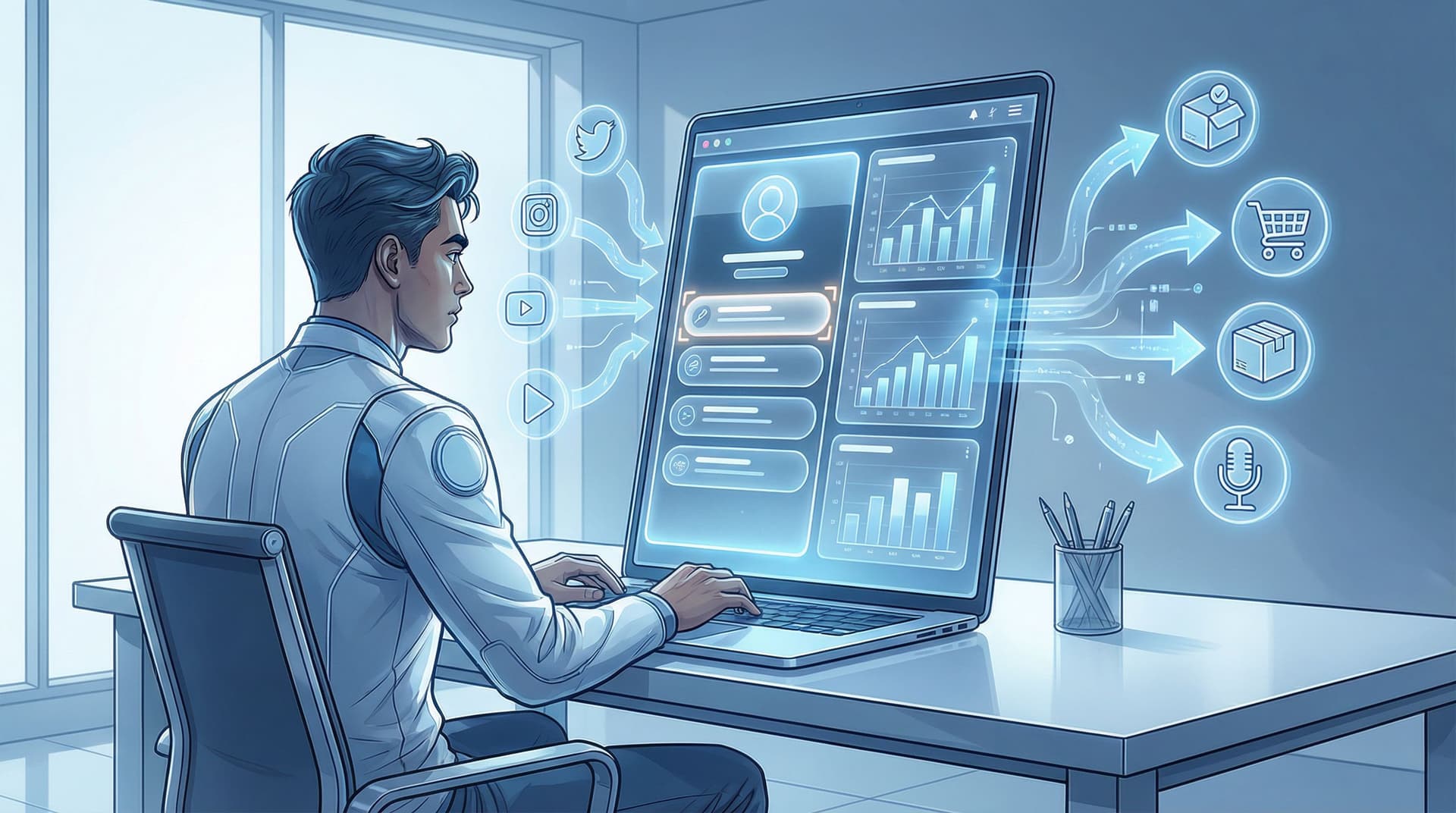
Brand deals don’t start in the inbox.
They start the second a marketing manager taps your bio link and decides—within about three seconds—whether you’re worth looping into a meeting.
If your link-in-bio is a random list of buttons, old freebies, and a rogue “New video!!” link from 2022… that decision is not going in your favor.
But if your page is a clean, on-brand, data-backed mini-portfolio built with Liinks? Now you’re not just “a creator.” You’re a live case study.
This post is about turning your Liinks page into proof—proof that you can move people, drive clicks, and make a campaign work before a brand ever wires you a dollar.
Why Brands Say “Let Us Circle Back” (Instead of “What’s Your Rate?”)
Here’s what brand and agency folks are quietly thinking when they click your bio:
- “Can this person actually drive action, or do they just get views?”
- “Will my product get buried under 17 other links?”
- “Do they understand campaigns, or will I be explaining basic marketing terms over Zoom?”
Your content gets you on their radar. Your Liinks page convinces them you’re campaign-ready.
If you haven’t read it yet, this is the entire thesis of Brand Deals Without a Manager: How a Strategic Liinks Page Makes You Look ‘Campaign-Ready’ on Every Platform. Think of this post as the sequel: same movie universe, but now we’re building proof before you pitch.
Why turning your Liinks into a live case study matters
When your page is set up like a mini marketing lab, you can:
- Show real click-through and conversion behavior, not just “I got 80k views once.”
- Test how your audience responds to different product categories, price points, and CTAs.
- Walk into brand conversations with screenshots, not vibes.
You’re not saying, “I think my audience would love you.” You’re saying, “Here’s what happened when I soft-tested a similar product with my audience last month.”
That’s the difference between “We’ll keep you in mind” and “What’s your availability next quarter?”
Step 1: Decide What You Want Your Case Study to Prove
Before you start rearranging buttons, you need a thesis. What do you want a brand to immediately understand about you when they hit your Liinks page?
Some examples:
- “My audience buys beauty products they discover through me.”
- “My followers sign up for tools and subscriptions when I recommend them.”
- “Local followers actually show up to IRL events I promote.”
- “My audience responds to budget-friendly alternatives / dupes.”
Pick one or two you want to lean into over the next 60–90 days.
Your Liinks page is not a static business card. It’s a running experiment.
Once you’ve picked your thesis, you’ll design your page to make it ridiculously obvious.
Step 2: Choose One “Hero Flow” You Want Brands to Notice
A hero flow is the main journey you want a brand (and your audience) to see clearly:
Social content → Liinks page → Specific click → Specific action (buy, sign up, book, save)
For brand deals, your hero flow might be:
- Content about skincare routines → Liinks → “Shop My Morning Routine” collection → Clicks to retailer or affiliate links
- Content about productivity → Liinks → “My Tech Stack” → Clicks to tools like Notion, email platforms, or SaaS products
- Content about local spots → Liinks → “This Week’s Local Picks” → Clicks to restaurant menus, event pages, or booking links
Your goal: make that one flow visually dominant so a brand can’t not notice it.
How to spotlight your hero flow on Liinks
- Put the hero section above the fold (visible without scrolling).
- Use a clear, benefit-driven heading, like:
- “Shop the Products I Actually Use On-Camera”
- “Tools I Use to Run My Business (And Actually Pay For)”
- Limit it to 3–6 links max so it feels curated, not chaotic.
- Use labels that sound like real human language, not robot menu items.
If you tend to promote a lot of offers, go read The “One Niche, Many Offers” Blueprint: Using Liinks to Sell Digital Products, Services, and Memberships from a Single Page for a deeper dive on keeping multi-offer setups simple.
Step 3: Design Your Page Like a Campaign, Not a Junk Drawer
A brand manager should be able to skim your Liinks page and instantly see:
- What you talk about
- What you promote
- How people respond
Let’s make that effortless.
Structure your sections with “brand goggles” on
Think in sections that answer specific questions a sponsor would have:
-
“What do you influence?” → Content-aligned sections
- “Skincare & Beauty Faves”
- “Home Office & Creator Gear”
- “Local LA Spots I Actually Go To”
-
“Can you drive action?” → Conversion-focused sections
- “What My Audience is Buying This Week”
- “Most Clicked Links This Month”
- “Top Tools My Followers Ask About”
-
“Are you organized enough for campaigns?” → System sections
- “Media Kit & Brand Info”
- “Book Me for UGC / Sponsorships”
- “Past Campaign Highlights” (even if it’s just one or two)
If you want more help making your page scannable for real humans (and impatient brand managers), bookmark SEO for Attention Spans Under 8 Seconds: Structuring Your Liinks Page for Skimmers, Scrollers, and Serial Multi-Taskers.
Use design to tell a story
Because Liinks is fully customizable, use that to your advantage:
- Color: Use one accent color for your “hero” brand-collab section so it visually pops.
- Icons or emojis: Subtle icons help a brand instantly see what’s what (💄 for beauty, 🏋️ for fitness, 💻 for SaaS tools).
- Button hierarchy: Larger or more visually distinct buttons for your hero flow; smaller, neutral buttons for everything else.
You’re not just decorating. You’re directing attention.
Step 4: Run Mini “Mock Campaigns” On Your Own Page
Here’s where the “live case study” part kicks in.
You don’t have to wait for a brand to pay you to run a campaign-style test. You can:
- Use affiliate links to products you already love.
- Use your own digital products or services as stand-ins.
- Use free signups (like a newsletter or free trial) as a proxy for conversions.
What a mock campaign looks like
Pick a 2–4 week window and:
- Choose a focus product or theme (e.g., “desk setup essentials,” “budget-friendly skincare,” “tools I use to batch content”).
- Create a dedicated section on Liinks for it with a clear title like:
- “February Feature: Under-$30 Skincare That Actually Works”
- “My Weekly Desk Setup – Everything I Use On Stream”
- Drive traffic there consistently from your content:
- “Link in bio → tap ‘February Feature’ to shop everything in this video.”
- Pin a Story highlight or TikTok with that CTA.
- Track:
- Total taps on that section
- Clicks on each product link
- Any affiliate sales or signups that come through
At the end, you’ll have:
- A clear sense of what your audience actually clicks.
- Real numbers you can screenshot.
- A repeatable framework you can plug any brand into.
If you like this experiment-style approach, you’ll love From ‘Link in Bio’ to Launchpad: Using Liinks to Soft-Test New Offers Before You Build the Whole Funnel.
Step 5: Make Your Metrics Brand-Friendly (Without Needing a Degree in Analytics)
You do not need a 12-tab spreadsheet to impress a brand.
You just need a handful of numbers that answer: “If we pay you, what happens?”
The numbers brands actually care about
From your Liinks setup and mock campaigns, pull:
- Click-through rate from social to Liinks
- “Out of 1,200 Story viewers, 85 tapped my link (7.1% CTR).”
- Click distribution on your hero section
- “During a two-week ‘desk setup’ feature, 63% of link clicks went to the monitor stand, 24% to the keyboard, 13% to the chair.”
- Top-performing categories
- “My audience clicks skincare and home-office tools 3x more than fashion.”
- Conversion proxies (if you have them)
- Email signups, affiliate sales, free trial signups, etc.
How to present those numbers like a mini case study
Turn your results into 3–5 bullet points you can drop into:
- Your media kit
- A “For Brands & Partners” section on Liinks
- Your pitch emails
For example:
Recent Audience Behavior (Live From My Liinks Page)
– 7.1% average click-through from IG Stories to my Liinks page over the last 30 days.
– 2-week “Desk Setup” feature drove 412 outbound product clicks, with 63% going to my primary recommended product.
– Tool and software recommendations consistently outperform fashion by ~3x in outbound clicks.
That’s the kind of language that makes a brand manager sit up a little straighter.
Step 6: Add a “For Brands” Path That Feels Effortless
Your Liinks page shouldn’t just show what you have done. It should make it stupidly easy for a brand to imagine what you could do together.
Create a dedicated path just for them.
What to include in your brand path
Add a clearly labeled section near the top or bottom of your page:
- “For Brands & Partners” or “Sponsor With Me”
Inside that section, include:
- A link to your media kit (Google Drive, Notion, or a PDF is fine).
- A short pitch form (Typeform, Tally, or Google Form) with questions like:
- “What product or offer would you like to promote?”
- “What’s your ideal campaign timeline?”
- “What does success look like for you?”
- Optional: a link titled “See Live Audience Behavior” that jumps to your hero section or mock campaign area.
Now your page isn’t just a list of links; it’s a mini onboarding flow for sponsors.
For more on this “I’m already campaign-ready” vibe, revisit Brand Deals Without a Manager: How a Strategic Liinks Page Makes You Look ‘Campaign-Ready’ on Every Platform.
Step 7: Keep It Fresh (So Your Proof Stays Believable)
Nothing kills credibility like a “Most Clicked This Month” section… last updated four months ago.
The good news: keeping your Liinks page fresh doesn’t need to be a huge project.
A simple 20-minute monthly refresh
Once a month, block 20 minutes to:
- Update your hero section
- Swap in new products, offers, or themes based on what you’re promoting.
- Rotate your “Most Clicked” or “What People Are Loving” section
- Update titles to reflect the current month or theme.
- Archive or demote old links
- Move outdated campaigns or offers into a lower section labeled “Past Features” or “Archive.”
- Screenshot your stats
- Grab quick screenshots of your best-performing sections to drop into your media kit.
If you want help systemizing this, AI-Optimized, Human-Approved: Using ChatGPT to Batch-Refresh Your Liinks Page for SEO and Conversions walks through a repeatable refresh flow you can run with an AI assistant.
Quick Recap: What Your “Live Case Study” Liinks Page Should Do
By the time you’re done, your Liinks page should:
- Highlight one clear hero flow that mirrors the kind of campaigns you want.
- Show real behavior, not just follower counts—clicks, top categories, and recent features.
- Look like a campaign, not a cluttered bookmark list.
- Give brands an obvious path to learn more, see your numbers, and get in touch.
- Stay fresh enough that dates and “this month” sections are actually true.
Think of it this way: your Liinks page is the trailer. Your content is the movie. Your media kit is the behind-the-scenes featurette. A brand should be able to watch the trailer and immediately think, “Yep, we want this.”
Your Next Move: Turn One Section Into a Case Study This Week
You do not have to rebuild your entire Liinks page to get started.
This week, pick just one thing:
- Choose a theme you already talk about a lot (skincare, productivity tools, fitness gear, local coffee shops).
- Create a hero section at the top of your Liinks page around that theme with 3–6 curated links.
- Talk about that section in your content for 1–2 weeks and send all relevant traffic there.
- Write down what happens—clicks, favorites, any sales or signups.
Congratulations, you’ve just run your first mock campaign—and your Liinks page is now a living, breathing case study instead of a static list.
If you’re not using Liinks yet, this is the perfect moment to set up a page that actually looks good and quietly does half your pitching for you. Start with one hero section, one experiment, and one story you can tell the next brand that lands in your inbox.
Then, when they ask, “Do you have any examples of past performance?” you can send them a link that answers the question before they even open the attachment.