How to Create a Free Professional Email Signature With the Liinks Email Signature Generator

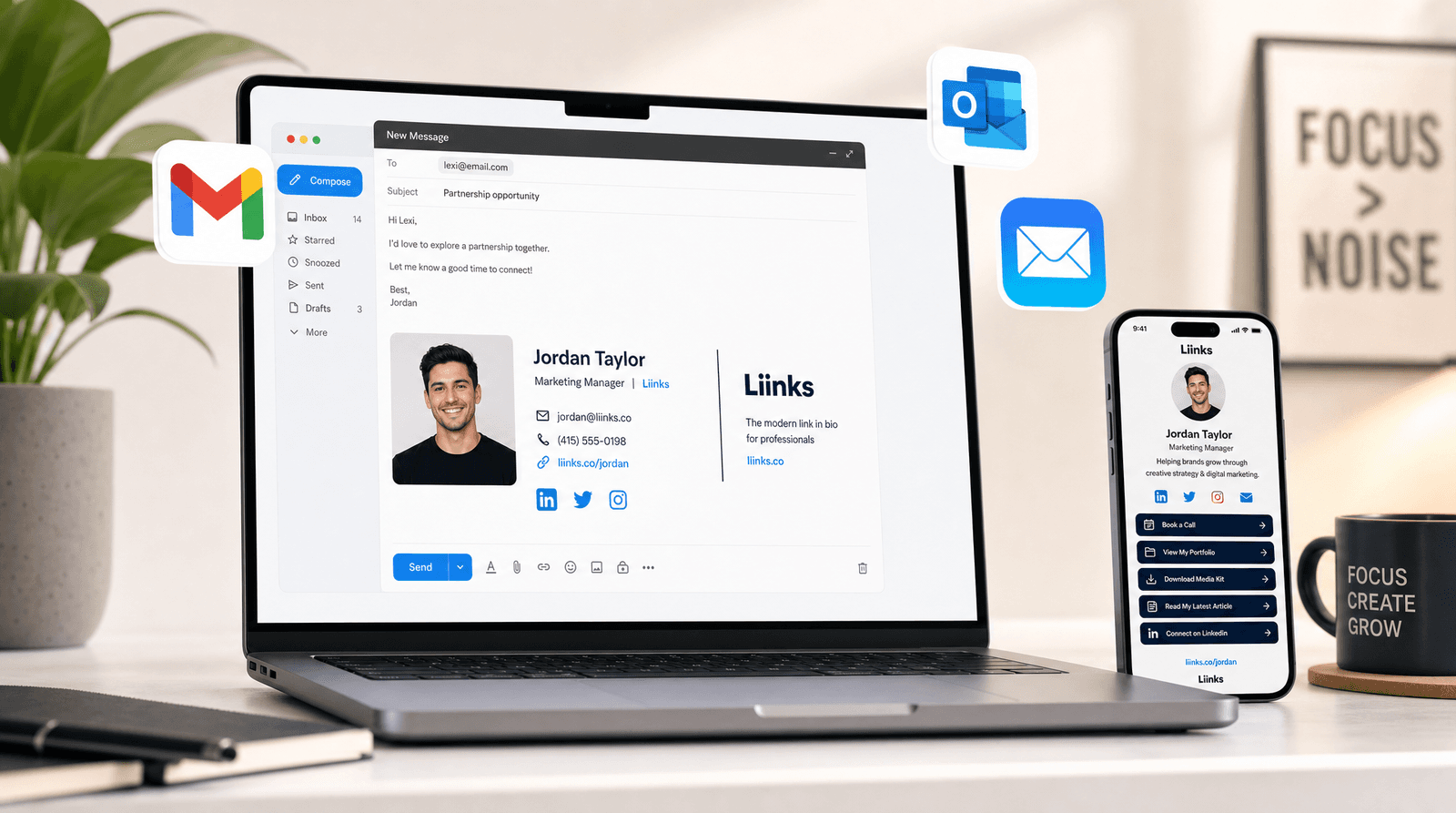
Think about how many emails you send in a week. Twenty? Fifty? If you run a business or freelance, it might be closer to a hundred.
Every single one of those emails ends with your signature. That little block of text at the bottom is the most-viewed piece of marketing you own. It gets more impressions than your latest social post, more eyeballs than your homepage, and more repeat exposure than any ad you could run. And yet, most people's email signatures look like they were written in 2011 and never touched again.
A plain-text name and phone number does the job the way a handshake in a dark room does the job. It works, technically. But it doesn't build trust, it doesn't communicate professionalism, and it definitely doesn't drive traffic anywhere useful.
Why Your Email Signature Is a Hidden Marketing Channel
Here's what makes email signatures different from every other piece of your online presence: they're contextual. When someone reads your Instagram bio, they might be casually scrolling. When someone sees your email signature, they're already in a conversation with you. They're already engaged. They already have a reason to care about who you are.
That context makes your signature one of the highest-intent touchpoints in your entire funnel. A well-designed signature with a link to your Liinks page turns every email into a soft pitch, without ever feeling salesy.
The math is simple. If you send 50 emails a week and even 10% of recipients glance at your signature, that's 260 impressions a month from a piece of content you set up once. If your signature includes a link to your page and just 5% of those people click, that's 13 new visitors a month on autopilot. For a freelancer or small business owner, those are warm leads who already know your name.
What the Liinks Email Signature Generator Does
The free Liinks Email Signature Generator builds a clean, professional HTML email signature in under a minute. No sign-up, no account required. You fill in your details, pick a style, and copy the result straight into your email client.
Here's what you can customize:
- Your details: Full name, job title, company, email, phone, and website. Fill in as many or as few as you need.
- Profile photo: Add a hosted image URL for a circular headshot. Your Liinks page avatar URL works perfectly here.
- Liinks URL: A dedicated field for your link-in-bio page. This shows up as a clean "Links" row in the signature, replacing the need to list every social profile individually.
- Layout: Choose between "Stacked" (photo on top, details below with an accent bar) or "Photo Side" (photo on the left with a vertical accent divider).
- Accent color: Pick from seven curated presets or dial in any custom color with the color picker to match your brand.
The generator shows a live preview as you type, so you can see exactly how your signature will look before copying it.
Step-by-Step: Build Your Signature in 60 Seconds
1. Open the tool
Head to liinks.co/email-signature-generator. No account needed.
2. Fill in your info
Start with your name and job title. The preview updates in real time on the right side of the screen. Add your email, phone, and website as needed. You don't have to fill in every field.
3. Add your photo
Paste a URL to a hosted image. Square photos work best since the generator renders them as a circle. If you already have a Liinks page, your avatar URL is a great option.
4. Add your Liinks URL
This is the smart move. Instead of cramming your Instagram, Twitter, LinkedIn, YouTube, and TikTok into your email signature (which looks cluttered and takes up space), add a single Liinks URL. One clean line in your signature that leads to everything. If you've built a digital business card with Liinks, you can link to that too.
5. Pick your layout and color
Choose "Stacked" for a vertical layout with a horizontal accent bar, or "Photo Side" for a layout with your photo on the left and a vertical color divider. Then pick an accent color that matches your brand. The presets cover most professional color palettes, but you can enter any hex code.
6. Copy and paste
Click Copy for Gmail to copy the formatted signature (with styling intact) directly to your clipboard. Or click Copy HTML if you need the raw code. That's it.
How to Install Your Signature
Gmail
- Open Gmail and go to Settings (gear icon) then See all settings
- Scroll to the Signature section under the General tab
- Create a new signature or edit an existing one
- Paste your copied signature into the editor
- Click Save Changes at the bottom
The "Copy for Gmail" button uses rich-text clipboard copying, so the formatting carries over cleanly. No need to touch any HTML.
Apple Mail
- Open Mail, then go to Mail in the menu bar and select Settings
- Click the Signatures tab
- Create a new signature and paste your copied content
- Uncheck "Always match my default message font" so the signature keeps its own styling
Outlook
- Go to File, then Options, then Mail
- Click Signatures
- Create a new signature or edit an existing one
- Paste the copied signature into the editor
- Click OK to save
Five Tips for a Signature That Actually Works
Keep it short. A signature with eight lines of contact info and three disclaimers is a signature nobody reads. Stick to your name, title, one or two contact methods, and your Liinks URL.
Use your brand color. The accent color in your signature should match your website, your Liinks page, and your social profiles. Consistency builds recognition. If you haven't nailed down your brand colors yet, the Liinks Color Palette Generator can help.
Add a photo. Signatures with a headshot feel more personal and get more engagement. People connect with faces, not text blocks.
Replace social links with one Liinks URL. Five social icons in an email signature is visual noise. A single "Links" row pointing to your Liinks page is cleaner, easier to maintain, and gives you analytics on who's actually clicking through.
Update it when things change. New job title? New headshot? Updated your bio? Regenerate your signature in 30 seconds. The tool doesn't save state, so bookmark it for quick updates.
The Liinks URL Advantage
Most email signature generators push you to add a row for every platform: LinkedIn, Twitter, Instagram, your podcast, your Substack. The result is a signature that looks like a social media directory.
The Liinks Email Signature Generator includes a dedicated "Liinks / All Links URL" field because the smarter approach is consolidation. One URL. One clean line. Behind it, your full Liinks page with every link, every platform, every offer, organized exactly the way you want.
When you update your Liinks page (add a new product, change your YouTube link, launch a course), every email signature pointing to that page is automatically up to date. No need to regenerate the signature or update anything in Gmail. Your page is the single source of truth, and your signature just points to it.
This is especially powerful if you manage a team. One Liinks page per person, one signature template, and everything stays in sync. The tool even has a CTA for this: "One link for every signature on your team."
If you're already using LinkedIn to drive professional traffic to your link-in-bio, adding your Liinks URL to your email signature closes the loop on your professional presence.
TL;DR
- Your email signature gets more impressions than almost any other piece of your online presence
- The free Liinks Email Signature Generator builds a professional HTML signature in under a minute
- Customize your name, title, photo, contact info, layout, and accent color
- One-click copy for Gmail, Outlook, and Apple Mail
- Use your Liinks URL instead of listing every social profile individually
- No sign-up required, no account needed
Build Your Signature Now
Your next email is an opportunity. Make sure the signature at the bottom of it looks like it belongs to someone who takes their brand seriously.
Head to the free Liinks Email Signature Generator, fill in your details, and paste a polished signature into your email client in less than a minute. Then set up your Liinks page so every click from that signature lands somewhere worth visiting.