Seasonal Campaigns with Liinks: Simple Link-in-Bio Swaps that Drive Holiday Revenue

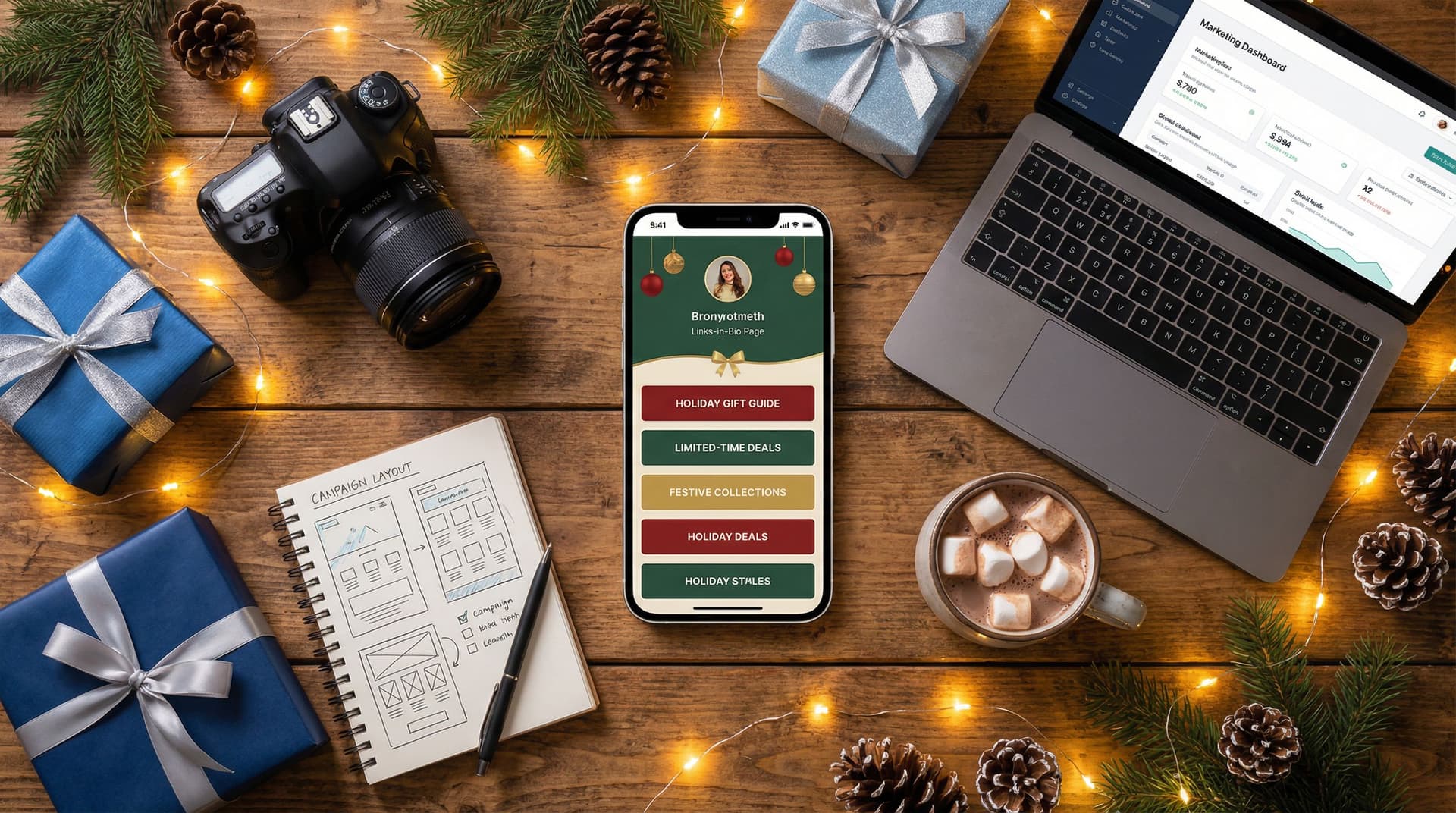
The holiday season isn’t just “nice to have” for creators, entrepreneurs, and small businesses—it’s often the single most profitable window of the year.
You’re putting out gift guides, limited drops, holiday bundles, year-end sales, charity campaigns, and more. But all of that effort only pays off if people know where to click and what to do next.
That’s where a seasonal, conversion-focused link in bio comes in.
With a flexible tool like Liinks, you don’t need to rebuild your whole site every time a new holiday hits. Simple, strategic swaps on your link-in-bio page can:
- Direct more traffic to your highest-value offers
- Reduce friction between “I’m interested” and “I just bought”
- Make your brand feel timely, relevant, and thoughtful
This guide walks through how to turn your Liinks page into a seasonal revenue engine—using quick tweaks you can make in under an hour.
Why Your Holiday Link in Bio Matters So Much
During major shopping moments like Black Friday, Cyber Monday, and December gifting season, people are:
- Actively looking for deals and gift ideas
- More willing to try new creators and brands
- Moving quickly between platforms and offers
Most of that traffic eventually hits one key touchpoint: your bio link.
If your main link still points to a generic, “evergreen” page, you’re missing out on:
- Relevance – People want to feel like they’ve landed somewhere built for this moment.
- Clarity – They shouldn’t have to hunt for the promo you just teased in Stories.
- Speed – The fewer taps between curiosity and checkout, the better.
Think of your Liinks page as your seasonal control center. It’s the one place you can instantly update across TikTok, Instagram, YouTube, X, and more—without touching your website navigation or product pages.
If you’ve already built a strong, on-brand page, you’re ahead of the game. If not, bookmark Design-First Link in Bio: How to Build a Stunning Liinks Page That Actually Converts as your design foundation.
The Seasonal Link-in-Bio Strategy (In One Glance)
Before we zoom into the details, here’s the simple framework:
- Pick one primary holiday outcome (e.g., sell out your holiday bundle, book Q1 clients, grow your list for a January launch).
- Turn your Liinks page into a seasonal hub that makes that outcome impossible to miss.
- Swap in holiday-specific links, visuals, and copy that match your current campaigns.
- Remove or downplay distractions that don’t support the current goal.
- Measure what’s working, then refine and reuse for the next seasonal moment.
You’re not creating a whole new funnel from scratch—you’re re-arranging what you already have so it’s aligned with what your audience cares about right now.
Step 1: Choose Your Holiday “North Star”
The biggest mistake creators make during the holidays is trying to promote everything at once.
Instead, pick one main outcome you want your seasonal traffic to support. A few examples:
- E-commerce brand: Sell out the “Holiday Gift Set” or “Limited Edition Drop.”
- Service provider: Fill January/February spots with a “New Year, New Strategy” package.
- Creator/educator: Drive signups for a discounted course bundle.
- Newsletter-focused creator: Grow your list with a “Holiday Survival Guide” lead magnet.
Ask yourself:
If I could only get new visitors to do one thing between now and January, what would it be?
That answer becomes your primary CTA and the hero of your Liinks page.
Step 2: Turn Your Liinks Page into a Seasonal Hub
Once you’ve chosen your North Star, it’s time to make your page feel like a holiday destination rather than a generic directory.
Update Your Visuals for the Season
You don’t have to go full red-and-green (unless that’s your thing), but subtle seasonal cues go a long way.
Consider:
- Backgrounds and accent colors that nod to the season (deep jewel tones, cozy neutrals, icy blues, metallics).
- Seasonal header image (product flat lay with fairy lights, cozy workspace, wrapped gifts, etc.).
- Holiday-themed button styles – a subtle glow, a ribbon-style border, or a “tag” look for discounts.
If you’re not sure how far to go with design, our post Design-First Link in Bio: How to Build a Stunning Liinks Page That Actually Converts walks through simple visual tweaks that keep things clean and on-brand.
Make Your Seasonal Offer the Hero
Your top section should answer three questions at a glance:
- What’s happening? (Holiday sale, limited drop, gift bundle, charity drive)
- Why should I care? (Discount, scarcity, special bonus, cause)
- What do I do next? (Shop, book, join, download)
A strong hero block might include:
- Short headline: “Holiday Gift Shop – Up to 30% Off”
- Support line: “Limited bundles, digital gifts, and last-minute-friendly offers.”
- Single, bold button: “Shop Holiday Collection” or “Grab the Holiday Bundle.”
Everything above the fold should point to that one core action.
Step 3: Build Holiday-Specific Link Sections
Once your hero is set, you can build out supporting links that:
- Give people options without overwhelming them
- Surface your best seasonal content and offers
- Guide visitors based on how ready they are to buy
Here’s a simple structure you can adapt inside Liinks:
1. “Top Holiday Picks” (For Ready-to-Buy Visitors)
This section is for people who clicked with purchase intent.
Use 3–5 links max, such as:
- “Best-Selling Gift Set (Ships Fast)”
- “Digital Gift Cards (Instant Delivery)”
- “Under $25 Gifts”
- “Last-Minute Digital Downloads”
Format tips:
- Use badges or small labels like “Best Seller,” “New,” or “Limited.”
- Put your highest-margin or highest-impact offers first.
2. “Holiday Content & Guides” (For Browsers and Warm Leads)
Not everyone is ready to buy right away. That’s okay—give them value and keep them in your world.
Ideas:
- “2025 Holiday Gift Guide for Creators”
- “How to Plan Your 2026 Content in One Weekend”
- “My Favorite Tools for Stress-Free Holiday Marketing”
If you’re running a bigger campaign or launch, pair this with the strategies in From One Link to a Full Funnel: Turning Your Liinks Page into a 24/7 Sales Machine to nurture visitors beyond a single click.
3. “New Year, New You” (For Post-Holiday Momentum)
Your holiday hub doesn’t have to shut down on December 26.
Add a small section that bridges straight into January:
- “Join the January Reset Challenge”
- “Book a 2026 Strategy Intensive”
- “Prep for Tax Season with This Checklist”
This keeps your Liinks page relevant even as people shift from gifting mode to planning mode.
Step 4: Simplify, Don’t Stack
Seasonal campaigns work best when they feel focused.
That means:
- Hide or move down links that aren’t relevant to your current push (old freebies, outdated blog posts, off-season products).
- Group related links into expandable sections (“All My Free Resources,” “All Podcasts I’ve Been On”) so they’re still accessible but not front and center.
- Limit your primary CTAs to one or two. If your page shouts “Shop,” “Subscribe,” “Book,” and “Watch” all at once, visitors freeze.
A helpful test: open your Liinks page on your phone and give yourself five seconds. Can you tell:
- What the seasonal offer is?
- What the main button wants you to do?
- Where to go if you’re not ready to buy yet?
If not, trim.
For more common pitfalls to avoid (and quick fixes), check out Stop Losing Clicks: Common Link-in-Bio Mistakes (and How to Fix Them with Liinks).
Step 5: Add Holiday-Specific Copy That Converts
Design pulls people in. Copy gets them to tap.
Here are small, high-impact copy tweaks you can make for the season:
Use Time and Scarcity (Honestly)
- “Holiday Bundle – Available Until December 24”
- “Order by December 15 for On-Time Delivery”
- “Only 25 Spots for January Strategy Sessions”
Be specific with dates and quantities. Vague urgency (“for a limited time”) doesn’t move people the same way.
Speak to Gifting and Emotions
People buy gifts to solve problems or create feelings. Reflect that in your button labels and link titles:
- “Give the Gift of Less Stress in 2026”
- “Perfect for the Creator Who Has Everything”
- “For the Friend Starting Their Business Next Year”
Make Your Buttons Do the Heavy Lifting
Instead of:
- “Shop now”
Try:
- “Shop Holiday Gift Sets”
- “Get the Creator Starter Kit”
- “Send a Digital Gift Card in 60 Seconds”
When someone screenshots your page or glances quickly, they should still understand what each button leads to.
Step 6: Connect Social Content Directly to Your Liinks Page
Your seasonal Liinks hub works best when your content and your bio link feel like one seamless experience.
Map Content to Specific Links
For every major piece of holiday content you publish, ask:
“Which link on my Liinks page should this point to?”
Then:
- Name the link in a way that matches your content.
- Place it near the top while that piece is live and driving traffic.
Examples:
- TikTok about your “Holiday Creator Toolkit”? Add a link titled “Holiday Creator Toolkit (from TikTok)” at the top.
- Instagram Story about a 24-hour flash sale? Create a bold, time-limited link and remove it once the sale ends.
This alignment is especially powerful when you’re customizing for different platforms. For deeper ideas, see TikTok, Instagram, YouTube: How to Customize One Liinks Page for Every Social Platform.
Pin and Repeat
During the holidays, people are bombarded with content. Don’t be shy about repetition:
- Pin seasonal content that points to your Liinks page (Reels, TikToks, Shorts, posts).
- Reference your seasonal hub in captions: “Everything’s in my Holiday Hub at the link in bio.”
- Use consistent naming: if your hub is called “Holiday Gift Shop” on your page, call it that in your content too.
Consistency builds recognition—and recognition builds clicks.
Step 7: Capture Long-Term Value (Not Just One-Off Sales)
Holiday revenue is great. Holiday relationships are better.
Alongside your main offer, build in at least one way to keep seasonal visitors in your world long after the decorations come down.
Ideas:
- Email list opt-in: “Get My 2026 Planning Kit (Free)”
- Waitlist: “Join the List for My January Group Program”
- Community invite: “Join the Creator Circle on Discord”
Position one of these just below your main hero section. That way:
- Buyers can stay connected after they purchase.
- Non-buyers still have a clear, low-friction next step.
If email growth is a priority, pair this with the tactics in Newsletter Growth on Autopilot: Using Liinks to Turn Social Traffic into Email Subscribers.
Step 8: Measure, Learn, and Reuse for the Next Season
The beauty of running seasonal campaigns through Liinks is how quickly you can iterate.
During and after your holiday push, look at:
- Top-clicked links – Which offers, guides, or CTAs got the most attention?
- Drop-off points – Are people clicking a lot on one link but not buying? Maybe the product page needs work, or the offer feels unclear.
- Timing – Did clicks spike after a certain type of content (e.g., behind-the-scenes Stories, unboxing Reels, live streams)?
Use what you learn to:
- Refine your next seasonal hub (Valentine’s Day, Mother’s Day, back-to-school, etc.).
- Decide which offers are worth repeating next year.
- Build evergreen versions of your best-performing seasonal content.
Over time, you’ll develop a repeatable playbook: swap in a new hero, refresh your sections, update your copy, and you’re ready for the next revenue moment.
Quick Holiday Liinks Checklist
If you’re short on time, use this as your rapid-fire setup guide:
- Set a clear goal for the season (one main outcome).
- Update visuals with subtle seasonal colors and imagery.
- Create a hero block with a clear headline, benefit, and single primary button.
- Add a “Top Holiday Picks” section with 3–5 focused, high-impact links.
- Include a value-driven content section (guides, tutorials, playlists).
- Bridge into the new year with at least one January-focused link.
- Hide or move down non-seasonal links to reduce noise.
- Tighten your copy with specific dates, benefits, and gifting language.
- Align your social content so each major post points to a specific link.
- Add at least one long-term asset (email opt-in, waitlist, community).
You can do most of this in under an hour once you’ve gone through it once.
Bringing It All Together
Seasonal campaigns don’t have to mean complicated funnels, new websites, or months of prep. With a well-designed, easy-to-edit hub like Liinks, you can:
- Make your offers feel timely and relevant
- Reduce friction from first click to checkout
- Turn fleeting seasonal attention into long-term relationships
The key is intention: one clear goal, one seasonal hub, and a handful of smart swaps that meet your audience where they already are—scrolling, tapping, and looking for that one offer that feels made for them.
Your Next Step
If you already have a Liinks page, log in and:
- Choose your holiday North Star.
- Rewrite your hero section to match it.
- Re-order your links so your seasonal offer is front and center.
If you haven’t set up Liinks yet, this is the perfect moment to start. Build a simple, seasonal hub today, and you’ll have a flexible foundation you can reuse and refine for every major moment ahead.
Your audience is already clicking your bio link. Now it’s time to make sure that click leads somewhere that’s ready to convert.