TikTok, Instagram, YouTube: How to Customize One Liinks Page for Every Social Platform

Your audience doesn’t experience you in one place.
They might discover you on TikTok, binge you on YouTube, and finally buy from you after seeing your Stories on Instagram.
But they all hit the same tiny link in your bio.
If that link feels generic, cluttered, or disconnected from where they just came from, you lose momentum—and often the click.
The good news: you don’t need a different landing page for every platform. You need one flexible, well-designed hub that adapts to TikTok, Instagram, and YouTube traffic without creating extra work.
That’s exactly where a customizable tool like Liinks shines.
In this guide, we’ll walk through how to design one Liinks page that:
- Feels native to TikTok, Instagram, and YouTube
- Guides different types of visitors to the right next step
- Works as a mini funnel for your content, offers, and email list
Why One Smart Page Beats Three Separate Ones
Before we get tactical, it helps to understand why a single, unified page is so powerful.
1. Consistency builds trust
When someone moves from your TikTok to your Instagram to your YouTube, they should feel like they’re walking through the same “house,” not three different buildings.
A unified Liinks page lets you:
- Keep colors, fonts, and imagery consistent
- Reuse the same core messaging and offers
- Make your brand feel intentional and professional
This is especially important if you’re using your bio link as a sales engine. If you haven’t explored that angle yet, you’ll love our deep dive on turning your page into a conversion hub: From One Link to a Full Funnel: Turning Your Liinks Page into a 24/7 Sales Machine.
2. Easier to maintain and optimize
Updating three separate landing pages every time you:
- Launch a new product
- Publish a new video
- Open or close a waitlist
…is a recipe for broken links and outdated offers.
With one Liinks page, you:
- Update once, benefit everywhere
- Test layout, copy, and CTAs in one place
- Use analytics to see which links perform best regardless of platform
3. Still personalized by platform (if you build it right)
“Unified” doesn’t mean “one-size-fits-all.”
By using smart structure, clear sections, and platform-aware copy, you can:
- Give TikTok scrollers quick hits and trending links
- Give Instagram followers curated “shop the story” or “as seen in Stories” experiences
- Give YouTube viewers deeper context, resources, and playlists
You’re not building three different pages—you’re building one page that speaks three dialects.
Step 1: Define What Each Platform Is Really Doing for You
Before you touch design, get clear on the role each platform plays in your ecosystem.
Ask yourself:
- TikTok: Is this where people first discover you? Where you test ideas? Where you go viral?
- Instagram: Is this your relationship and community hub? Where you share behind-the-scenes and Stories?
- YouTube: Is this where your deepest, most valuable content lives? Tutorials, long-form reviews, vlogs?
Then define the primary action you want from each platform’s visitors when they hit your Liinks page:
- TikTok → “Get them to something clickable, fast.”
- Example: feature the link you promised in your latest viral video, your freebie, or your main offer.
- Instagram → “Deepen the relationship or drive a specific campaign.”
- Example: newsletter signup, limited-time launch, or “shop my latest drop.”
- YouTube → “Support the content they just watched.”
- Example: link to tools mentioned, your course, or a playlist to binge next.
Write these down. They’ll guide every design and copy choice you make.
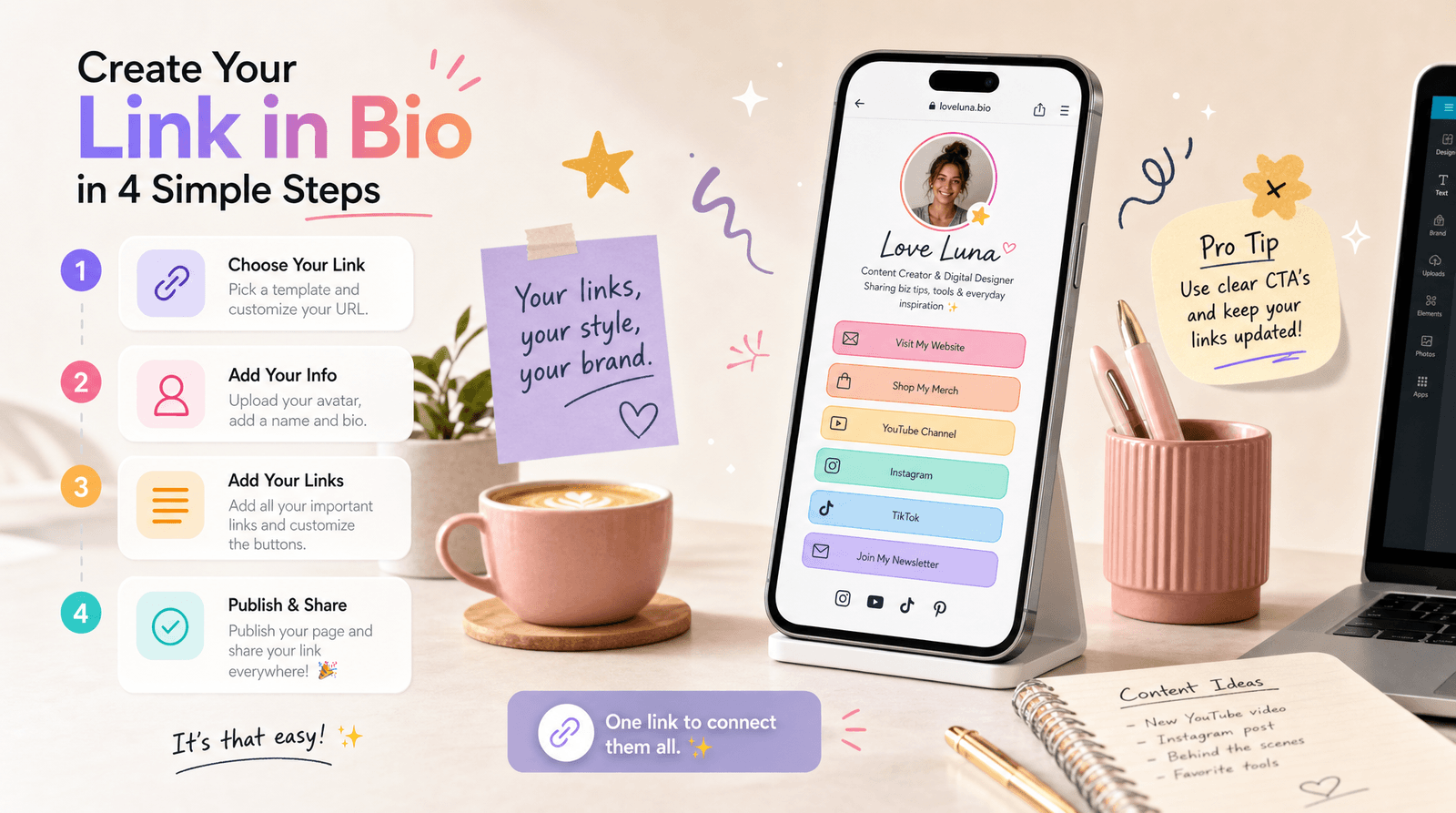
Step 2: Build a Strong, On-Brand Core Layout in Liinks
Now, set up the core structure of your page in Liinks. This is the version every visitor will see, no matter where they come from.
Design your “always-on” sections
Think of your page in layers:
-
Hero section (top of the page)
- Profile photo or logo
- Short, clear headline (who you are + what you do)
- One primary button (your main CTA, like “Start Here” or “Get the Starter Guide”)
-
Priority links (your non-negotiables)
- Your main offer or service
- Your email newsletter
- Your shop or product catalog
- Your most important social or platform (if you want to push people there)
-
Content hub
- Latest video or playlist
- Most popular tutorial or blog post
- “New here? Watch these first” section
-
Trust and depth (optional but powerful)
- Testimonials or social proof
- Press features
- About/“Work with me” link
Use Liinks’ customization to:
- Match your brand colors and fonts
- Add section headers (e.g., “Start Here,” “For Creators,” “For Brands”)
- Use icons or thumbnails to make important links stand out
You can take this further with SEO-friendly structure and copy. If you want a deeper dive into that side, check out: Creator-Friendly SEO: Simple Liinks Tweaks That Make Your Profiles More Discoverable.
Step 3: Make the Page Feel Native to TikTok
TikTok viewers are:
- Scrolling quickly
- Coming from short-form, high-energy content
- Often responding to a specific promise (“link in bio for the free template”) rather than browsing
Your Liinks page should meet that energy.
What to prioritize for TikTok traffic
- A “From TikTok?” section near the top
Add a small, clearly labeled section like:
From TikTok? Start here 👇
Under it, include:
- The exact resource you just mentioned (freebie, template, product)
- A link to a “Start Here” playlist or collection if you do series content
- A link for business inquiries or collaborations if you get a lot of brand interest from TikTok
- Clear, short link titles
Examples:
- “Download the Notion Content Calendar (from my TikTok)”
- “TikTok UGC Rates Guide (Free PDF)”
- “Apply for UGC Collabs”
- Visual cues
Use emojis or icons sparingly but strategically:
- 🎁 for freebies
- ⭐ for your main offer
- 🛒 for products mentioned
Optional: Use tracking to tailor for TikTok
If you’re sharing different URLs per platform (e.g., TikTok uses a unique Liinks URL from Instagram), you can:
- Duplicate your core page
- Slightly reorder sections so the “From TikTok?” block is even closer to the top
- Use analytics to see which TikTok-specific links drive the most clicks and conversions
Even if you keep one universal URL, section labeling and link titles can do a lot of the heavy lifting.
Step 4: Shape the Experience for Instagram
Instagram followers are often warmer. They’ve seen your face in Stories, read your captions, and interacted with your posts.
They’re more willing to browse—if you make it easy.
What to prioritize for Instagram traffic
- A “Seen on Stories / Latest Drop” area
Right below your hero or main CTA, add a section like:
As Seen on Stories
Include:
- Current promo or launch
- “Shop this look” or “Shop the collection” links
- Time-sensitive offers (with clear labels like “Ends Friday”)
- Relationship-building CTAs
Instagram is great for deepening connection. Feature:
- Newsletter signup (“Get my weekly creator playbook”)
- Community link (Discord, Circle, Patreon, membership)
- A “New here?” guide or intro video
If you’re serious about growing your email list, pair this with the strategies in: Newsletter Growth on Autopilot: Using Liinks to Turn Social Traffic into Email Subscribers.
- Campaign-specific buttons
When you’re running a launch, challenge, or collaboration, give it top billing for Instagram traffic:
- “Join the 7-Day Reels Challenge”
- “Enroll in the Content Systems Bootcamp”
- “Apply for 1:1 Strategy Sessions”
Update these as your campaigns change. With Liinks, it takes minutes—and your Instagram audience always sees your most relevant offer.
Step 5: Support Long-Form Content from YouTube
YouTube viewers usually arrive with context. They’ve just watched a 10–40 minute deep dive, review, or tutorial.
They’re primed to:
- Grab resources you mentioned
- Explore related content
- Make a higher-commitment decision (like buying a course or tool)
What to prioritize for YouTube traffic
- “From YouTube? Grab What You Need” section
Create a section with a header like:
From YouTube? Links & Resources
Inside, add:
- A link to your “Resources” or “Tools I Use” page
- Links to your main offers or programs
- Playlists that logically follow your most-watched videos
- Episode-specific links
If you often say “link in bio” in your videos (instead of filling the description with links), you can:
- Create a “Latest Video Resources” link that you update weekly
- Use clear titles like “Resources from: How I Plan a Month of Content”
- Higher-ticket or deeper offers
Because YouTube viewers have spent more time with you, they’re more ready for bigger steps:
- Courses or group programs
- 1:1 services or consulting
- High-value lead magnets (e.g., multi-part training, in-depth guides)
Place these slightly below your “Resources” section, but above general browsing links.
Step 6: Use Copy to Speak to Each Platform (Without Rebuilding the Page)
You don’t need three different designs to create three different experiences. Copy alone can do a lot of the personalization.
Here’s how:
-
Add small subheadings like:
- “From TikTok? Start here.”
- “Saw this on Instagram? Tap below.”
- “Watched my latest YouTube video? These are your next steps.”
-
Use link titles that reference context:
- “Download the YouTube Tutorial Checklist”
- “TikTok UGC Brief Template (Free)”
- “From my IG Stories: Weekly Content Planner”
-
Use microcopy under important links:
- “The free guide I mention in most of my videos.”
- “The exact presets I use in my Reels.”
- “The course that walks you through the system step by step.”
These tiny details help visitors feel seen and understood, even though they’re all landing on the same Liinks page.
Step 7: Avoid Common Link-in-Bio Mistakes (Especially Cross-Platform)
When you’re serving TikTok, Instagram, and YouTube from one page, a few mistakes get amplified.
Watch out for:
-
Too many links with no hierarchy
If everything is important, nothing is. Use sections, headings, and visual emphasis to guide the eye. -
No clear “start here” action
Give each visitor a default path. Even if they ignore the platform-specific section, a big, clear main CTA should show them where to go. -
Outdated or broken links
Especially dangerous when you’re promoting content across three platforms. Make a habit of checking your top links weekly. -
Off-brand design
If your page looks nothing like your content, people will bounce. Use Liinks customization to keep everything cohesive.
We break down more of these pitfalls (and how to fix them quickly) in: Stop Losing Clicks: Common Link-in-Bio Mistakes (and How to Fix Them with Liinks).
Step 8: Track, Tweak, and Let Data Guide You
Once your unified page is live, the work shifts from building to refining.
Use analytics (from Liinks and your social platforms) to answer:
- Which links get the most clicks overall?
- Which links get the most clicks when you promote them on TikTok vs. Instagram vs. YouTube?
- Do people scroll, or do they mostly tap the top 3–5 links?
Then:
- Move your highest-performing links higher on the page
- Retire or consolidate underperforming links
- Test different wording for your main CTA
- Experiment with different section labels (e.g., “Start Here” vs. “New? Watch These First”)
Over time, you’ll build a data-backed layout that quietly does more work for you—with no extra effort each time you post.
Bringing It All Together
Let’s recap how to customize one Liinks page for TikTok, Instagram, and YouTube without creating a maintenance headache:
- Clarify each platform’s job in your ecosystem and the main action you want from its visitors.
- Build a strong core layout in Liinks: hero, priority links, content hub, and trust elements.
- Layer in platform-aware sections and copy:
- “From TikTok? Start here” with quick, promised resources.
- “As Seen on Stories” and relationship-building CTAs for Instagram.
- “From YouTube? Links & Resources” plus deeper offers for YouTube.
- Use copy, not separate pages, to personalize the experience.
- Avoid common mistakes like clutter, lack of hierarchy, and off-brand design.
- Let analytics guide your tweaks so your page gets more effective over time.
With a flexible, fully customizable tool like Liinks, you don’t have to choose between simplicity and sophistication. You can have one link that feels tailor-made for every platform your audience comes from.
Your Next Step
You don’t need to overhaul everything to get started. Here’s a simple, low-friction way to take action today:
- Open your current link-in-bio page (or create a new one in Liinks).
- Add three small sections:
- “From TikTok? Start here.”
- “As Seen on Stories.”
- “From YouTube? Links & Resources.”
- Drop 1–2 links into each section that match what you’re already talking about this week.
- Pin your new Liinks URL on TikTok, Instagram, and YouTube.
- Watch how people use it over the next 7 days—and then tweak.
Your bio link doesn’t have to be a static directory. It can be a living, strategic hub that grows with you.
Set up your unified, platform-aware Liinks page, and turn every TikTok, Instagram post, and YouTube video into a clear path toward your best content, offers, and community.