How to Create a Free Favicon for Your Website With the Liinks Favicon Generator

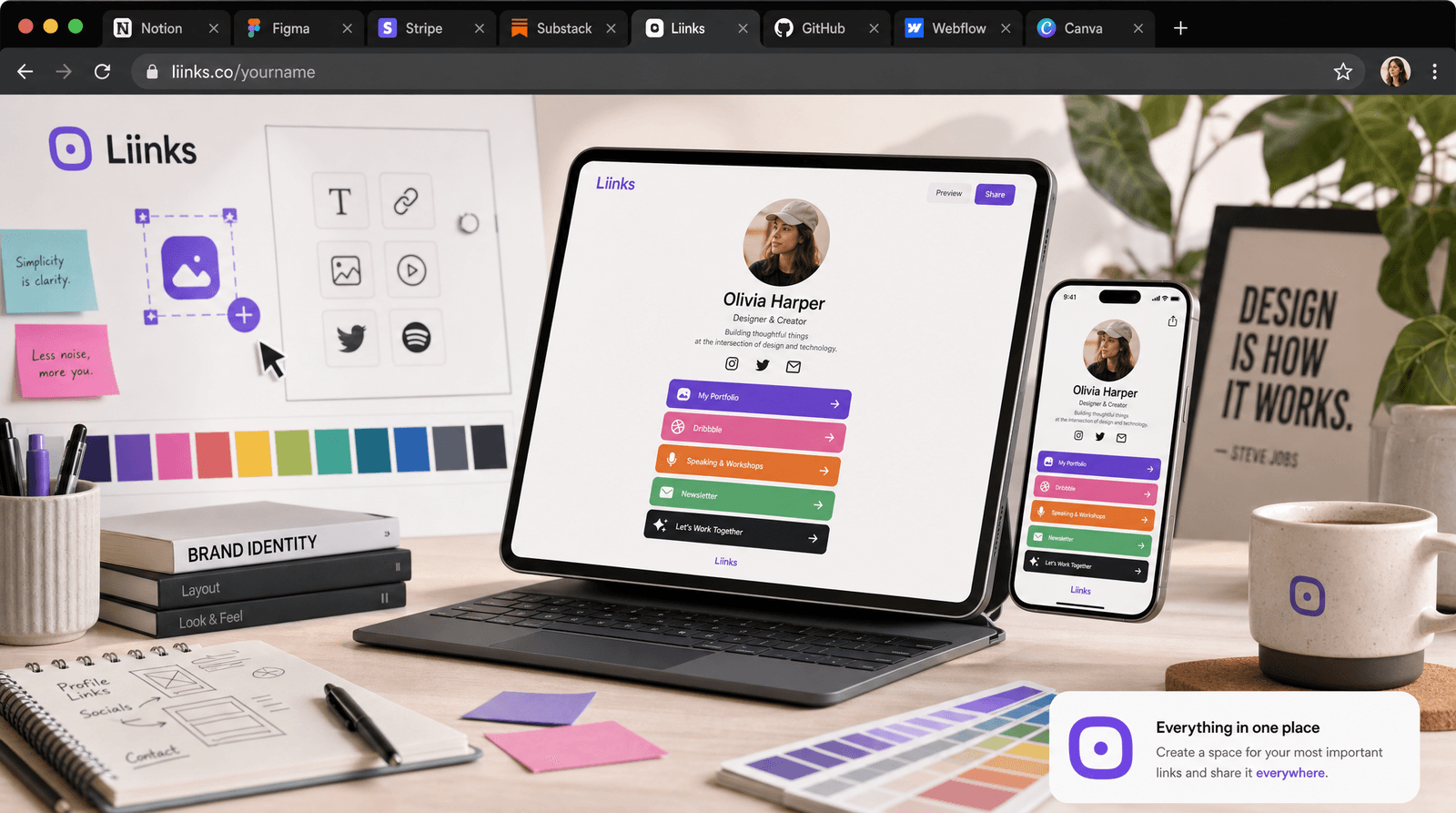
Open a new browser tab right now and look at the top of your screen. Every single tab has a tiny square icon sitting next to the page title. That icon is a favicon, and it is doing more work than you think.
For creators, freelancers, and small businesses running a website or a Liinks page, your favicon is a subtle but constant reminder that you exist. It sits in bookmarks bars, browser history, saved tabs, and mobile home screens. When someone has 15 tabs open (and they always do), your favicon is the only visual cue that helps them find their way back to you.
The problem? Most people skip this step entirely because generating favicons used to require design software, precise pixel math, and a working knowledge of obscure HTML tags. That changes today.
What Is a Favicon and Why Does It Matter?
A favicon (short for "favorites icon") is the small image that appears in browser tabs, bookmark lists, and mobile home screen shortcuts. It is typically 16x16 or 32x32 pixels in the browser tab, but modern devices need multiple sizes for different contexts.
Here is why your favicon matters more than its size suggests:
Brand recognition. People scan their tabs visually, not by reading titles. A distinctive favicon means they can find your site instantly among dozens of open tabs.
Professionalism. A missing favicon (the generic globe or blank page icon) signals that a site is unfinished or amateur. It is the digital equivalent of a storefront with no sign.
Mobile home screens. When someone saves your site to their phone's home screen, the favicon becomes your app icon. At 180x180 pixels (Apple's touch icon size), a blurry or missing icon stands out for the wrong reasons.
SEO signals. Google displays favicons in search results on mobile. A clear, recognizable favicon can improve your click-through rate by making your result look more trustworthy.
How the Liinks Favicon Generator Works
The Liinks Favicon Generator is a free tool that creates favicons in every size you need, directly in your browser. No signup required, no watermarks, no file size limits.
It offers two modes:
Text Mode
Type a letter, number, or short text (like your initials), pick a background color and font style, and the generator renders a clean favicon from it. This is the fastest path to a professional-looking icon if you do not have a logo yet.
Text-based favicons work especially well for personal brands. A bold "J" in your brand color is immediately recognizable and looks sharp at every size.
Image Mode
Upload an existing logo or icon, and the generator crops and resizes it to every standard favicon dimension. This is ideal if you already have brand assets and need them formatted correctly for the web.
Step-by-Step: Creating Your Favicon
Option A: Text-Based Favicon
- Go to the Liinks Favicon Generator
- Select the "Text" mode
- Type your letter or initials (one or two characters works best at small sizes)
- Choose a background color that matches your brand (if you are not sure, check your brand colors for guidance)
- Preview how the favicon looks in a simulated browser tab
- Download the full set of sizes
Option B: Image-Based Favicon
- Go to the Liinks Favicon Generator
- Select the "Image" mode
- Upload your logo or icon (square images work best; the tool will crop non-square uploads)
- Check the preview to make sure details are visible at small sizes
- Download the generated files
Installing Your Favicon
Once you have downloaded your files, the generator provides a ready-to-copy HTML snippet for your site's <head> tag. It looks something like this:
<link rel="icon" type="image/png" sizes="32x32" href="/favicon-32x32.png">
<link rel="icon" type="image/png" sizes="16x16" href="/favicon-16x16.png">
<link rel="apple-touch-icon" sizes="180x180" href="/apple-touch-icon.png">
Copy the snippet, paste it into your HTML, upload the favicon files to your web root, and you are done.
If you use Liinks for your link-in-bio page, favicons are handled automatically when you upload a profile image. But if you run a separate website, portfolio, or landing page, the generator gives you everything you need.
Favicon Best Practices
Keep it simple. Your favicon will display at 16x16 pixels in most contexts. Detailed logos with fine text or intricate illustrations will turn into an unreadable blob. Stick to one or two visual elements: a single letter, a simple geometric shape, or a bold icon.
Use your brand color. The background color of your favicon should match your primary brand color. This creates instant recognition when people see it alongside dozens of other tabs. If your brand identity is built around specific colors, use the most distinctive one.
Test at actual size. The generator shows you a live browser-tab preview for exactly this reason. What looks great at 512x512 might be an indistinct square at 16x16. Always check the smallest size before finalizing.
Do not use text at small sizes. A single letter works. A word does not. At 16px, anything beyond one or two characters becomes unreadable. If your brand name is long, use your first initial or a symbol from your logo.
Generate all sizes. Different contexts need different dimensions. Browser tabs use 16x16 and 32x32. Android home screens use 192x192. Apple devices need 180x180. The Liinks generator handles all of these automatically, so you do not need to resize manually.
When to Update Your Favicon
Your favicon is not a set-it-and-forget-it element. Consider updating it when:
- You rebrand or change your primary brand color
- You redesign your logo
- You realize your current favicon is unrecognizable at small sizes
- You are launching a new website or link-in-bio page and want consistent branding from day one
A quick refresh through the Liinks Favicon Generator takes less than two minutes. There is no reason to leave an outdated or default icon in place.
Favicons as Part of Your Broader Brand System
Your favicon does not exist in isolation. It is one piece of a larger visual identity that includes your email signature, your social media profiles, your link-in-bio page, and your website. Consistency across all of these touchpoints builds trust and recognition.
Think of it this way: every time someone encounters your brand, they are storing a small visual memory. The more consistent those encounters are (same color, same icon, same feel), the faster they recognize and trust you. Your favicon is one of the most frequently seen elements because it appears every single time someone interacts with your site.
If you are building a brand from scratch and want all of these elements working together, Liinks offers a link-in-bio page that matches your visual identity, along with free tools like the Favicon Generator and Email Signature Generator to keep everything cohesive.
TL;DR
- A favicon is the small icon in browser tabs, bookmarks, and mobile home screens
- Missing or generic favicons make your site look unfinished
- The Liinks Favicon Generator creates favicons in every size for free, with no signup
- Use text mode for a quick initial-based icon or image mode if you have a logo
- Keep favicons simple, use your brand color, and test at the smallest display size
- The tool provides a ready-to-paste HTML snippet for installation
Make Your Brand Visible Everywhere
Your favicon is the smallest detail that makes the biggest impression on repeat visitors. It takes two minutes to create one that looks professional and on-brand.
Try the free Liinks Favicon Generator right now. No account needed, no watermarks, and you will walk away with every size your site needs.
And if you are ready to build a full branded online presence, create your free Liinks page to tie your favicon, email signature, social profiles, and link-in-bio together into one cohesive brand experience.