How to Build a Link-in-Bio Hub for Your Podcast (Step-by-Step Guide)

Your podcast is everywhere. It is on Apple Podcasts, Spotify, YouTube, maybe Amazon Music and a handful of apps you forgot you submitted to. That sounds like a good thing, and it is, until someone hears about your show and has to figure out which one of those they actually use.
Here is the moment that decides whether you gain a listener: a person sees your episode mentioned, taps the link in your bio, and lands on a page. If that page is a wall of confusing options, a single Spotify link that ignores half your audience, or a generic profile that buries the "listen" button under everything else, you lose them. Not because your show is bad. Because the path was annoying.
A link-in-bio hub fixes that. It gives every listener one clean URL that meets them where they are: play the latest episode, jump to their app of choice, and join your email list before they leave. This guide walks through building one step by step, so your hub does the heavy lifting between "I heard about this podcast" and "I subscribe and never miss an episode."
Why a podcast needs a dedicated link hub
Podcasts have a discovery problem that most other content does not. A blog post is a link. A YouTube video is a link. A podcast episode is the same episode scattered across ten different platforms, each with its own URL, each requiring the listener to already have that specific app installed.
When you drop a single platform link in your Instagram bio, you are quietly telling everyone who uses a different app that they are not welcome. That is a lot of people. Apple and Spotify dominate, but a meaningful slice of listeners are on YouTube, Overcast, Pocket Casts, or just want to read the show notes first.
A hub solves three problems at once:
- Choice without friction. Everyone sees their app, nobody has to hunt for it.
- One link to rule them all. You promote a single URL across every channel instead of swapping links every time you switch platforms.
- A second ask. Once someone is on your page, you can capture an email, point them to a sponsor, or sell merch. A raw Spotify link can do exactly none of that.
This is the core idea behind a good link-in-bio setup, and it is why tools like Liinks exist: instead of sending traffic to a platform you do not control, you send it to a page you do. If you want a broader look at what is out there, we compared the options in Best Link in Bio Tools for Podcasts.
Step 1: Claim your hub and match it to the show
Start by creating your page and giving it a URL that sounds like your podcast, not like a random username. Something like liinks.co/yourshowname is instantly recognizable and easy to say out loud, which matters more than you think. Podcast discovery is verbal. People say "go to my link in bio" on the air, in trailers, and in guest swaps, and a clean URL is one your audience can actually remember.
Then make the page look like the show in the first half second:
- Use your podcast cover art or logo as the profile image. Listeners recognize the artwork before they read a single word.
- Set a background and accent color that match your show's branding. Consistency between your cover art, your social profiles, and your hub builds trust before anyone reads a word.
- Write a one-line bio that says what the show is and who it is for. "A weekly podcast about small-business marketing for people who hate marketing" beats "Host. Storyteller. Coffee enthusiast." every time.
The goal is that someone landing on your hub for the first time instantly thinks, "yes, this is the show I just heard about." With Liinks you can customize all of this without touching code, so the page feels like an extension of your brand rather than a third-party detour.
Step 2: Lead with the latest episode
Here is the mistake almost every podcaster makes: they list their listening platforms and stop there. But the single highest-intent action a visitor can take is to press play right now, while their interest is hot.
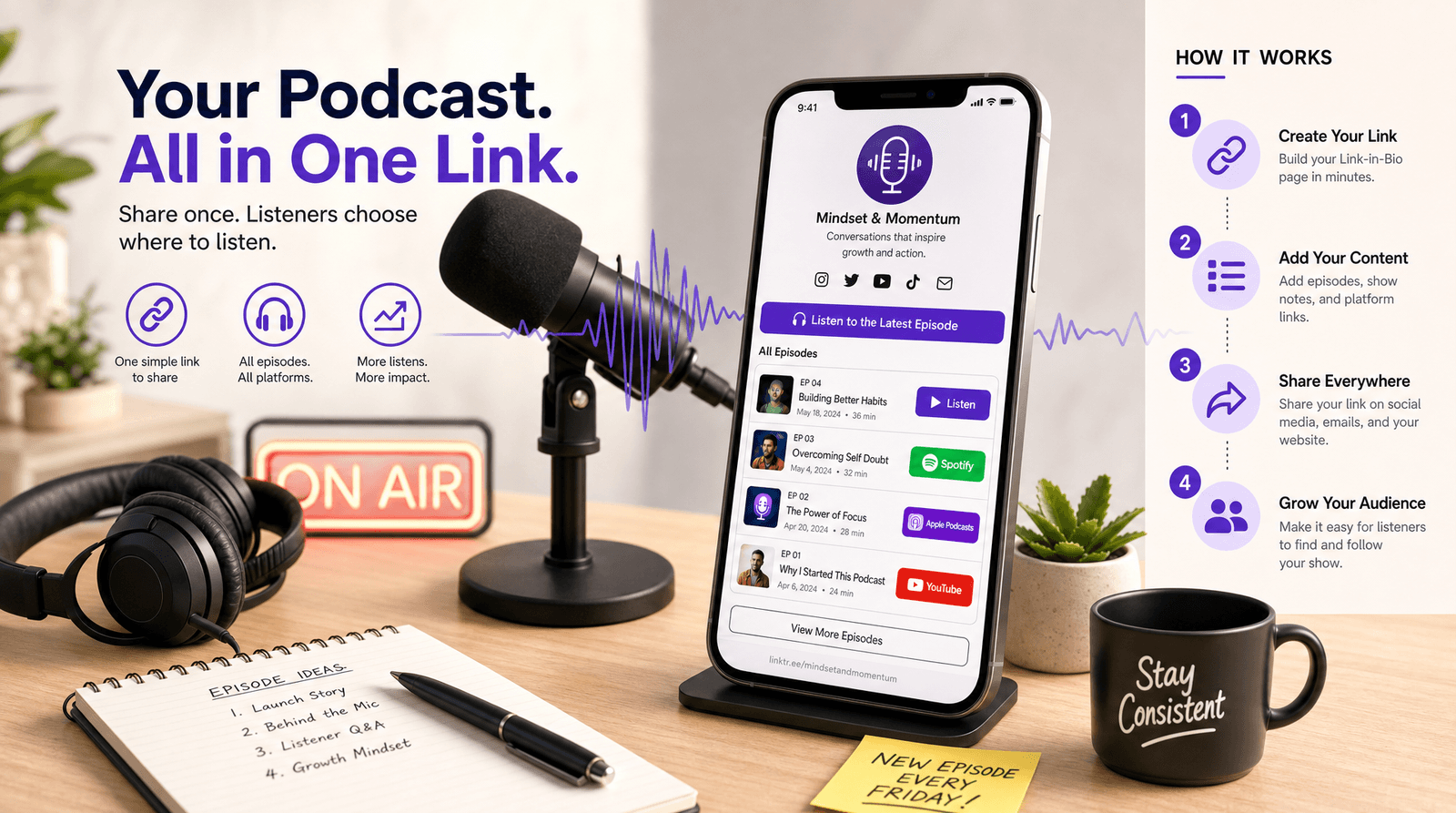
Put your newest episode at the very top of the hub. Give it a button that does not make people guess, something like "Play the Latest Episode" or "New: Episode 47 with [Guest]." Link it to wherever you want the play to happen: your YouTube video, your hosting platform's web player, or a smart link that opens their preferred app.
A few things that make this section work harder:
- Name the episode or guest. "Listen Now" is fine. "Listen: How [Guest] Built a 6-Figure Newsletter" is a reason to click.
- Refresh it when you publish. Your hub should never advertise an episode from three weeks ago as the headline. Updating one button takes ten seconds.
- Use a section, not a buried link. A dedicated, visually distinct block at the top tells visitors "start here."
The order of everything on your page is not decorative, it is strategic. People tap the top of a page far more than the bottom, so the sequence of your buttons directly shapes what listeners actually do. We break down that logic in How to Order Your Link-in-Bio Buttons, and it applies double for podcasts where the "play" button is your whole reason for existing.
Step 3: Add every listening platform, neatly grouped
Now the part everyone expects: the listen-everywhere section. The trick is to make it complete without making it overwhelming.
List the platforms your audience actually uses, in rough order of popularity for your show:
- Apple Podcasts
- Spotify
- YouTube
- Amazon Music / Audible
- Overcast, Pocket Casts, or whatever your stats say matters
Use each platform's name on the button so people can scan for theirs in a second. If your hosting provider offers a universal "follow" or "smart" link that auto-detects the listener's app, that is a great single fallback, but most podcasters do better listing the top three or four explicitly and tucking the long tail into a group below.
A clean, grouped layout matters here. A pile of fifteen identical gray buttons is just as paralyzing as having no options at all. Sections, spacing, and recognizable platform names turn a cluttered list into a menu people can read at a glance. This is exactly the kind of content curation that separates a hub that converts from a hub that confuses: you are not just dumping links, you are organizing them around how a real person decides where to listen.
Step 4: Capture the listener before they leave
This is the step that turns a link page into a growth engine, and it is the one almost nobody does.
A new listener who presses play might love your show. But podcast apps do not give you their email, their phone number, or any way to reach them directly. If they forget the name of your show next week, they are gone, and you will never know they existed. Owning your audience instead of renting it from an app is the single most durable thing you can build, which is the whole point of building a real network rather than just chasing plays.
So give every visitor one ownership-building action on your hub:
- An email signup for episode drops, show notes, or a behind-the-scenes newsletter. "Get every new episode in your inbox" is a low-friction ask.
- A link to your community, whether that is a Discord, a subreddit, or a Patreon for your most engaged fans.
- A "text the show" or voicemail link if you take listener questions. It doubles as content and a relationship.
Place this just below your listen buttons. Someone who has already chosen their app is warm, and warm is exactly when to ask. If you want a deeper case for why this matters, the same logic powers everything from creators to small businesses on Liinks: the platform is where they find you, but your hub is where you keep them.
Step 5: Track what works and tune it
You cannot improve a hub you are flying blind on. Once your page is live and driving listeners, pay attention to which buttons actually get tapped.
Your analytics will tell you the things that change how you promote the show:
- Which platform link wins. If 70 percent of taps go to Spotify, that is where you should be asking for reviews and follows.
- Whether your "latest episode" button outperforms the platform list. If it does, lean into it harder in your promos.
- How many people sign up for email. A low rate usually means the ask is buried or the value is unclear, both easy fixes.
You do not need a data degree for this. You need a handful of numbers checked once a week. We laid out exactly which ones matter in Analytics Without the Headache, and the same short list applies to a podcast hub.
The other half of tracking is knowing where your listeners come from. If you promote your show on Instagram, in newsletters, and on guest appearances, you will want to know which of those is actually sending people to your hub. Tagging those links is the easiest way to find out, and our free UTM Link Builder makes it a thirty-second job. Once you know your best traffic source, you can stop guessing and double down.
TL;DR
If you only remember five things from this guide, make it these:
- Build one hub, promote one URL. Stop scattering single-platform links that ignore half your audience.
- Lead with play. Put your latest episode at the top with a button that names the episode or guest.
- List platforms neatly. Top three or four explicitly, the rest grouped, each labeled so listeners can scan for theirs.
- Capture the relationship. An email signup or community link turns a one-time listen into a subscriber you actually own.
- Watch the numbers. Check which buttons win and where traffic comes from, then tune accordingly.
A podcast hub is not a vanity page. It is the bridge between "I heard about this show" and "I never miss an episode," and the difference between a good bridge and a bad one is measured in subscribers.
Build your podcast hub on Liinks
You do not need a website, a developer, or a weekend to put this together. Liinks lets you build a clean, branded podcast hub in minutes: custom URL, your cover art, ordered sections, an email capture, and built-in analytics so you can see exactly what your listeners do.
Your next listener is one tap away from pressing play or bouncing forever. Give them a hub that makes the choice easy, and make it your own at liinks.co.